Field-first home
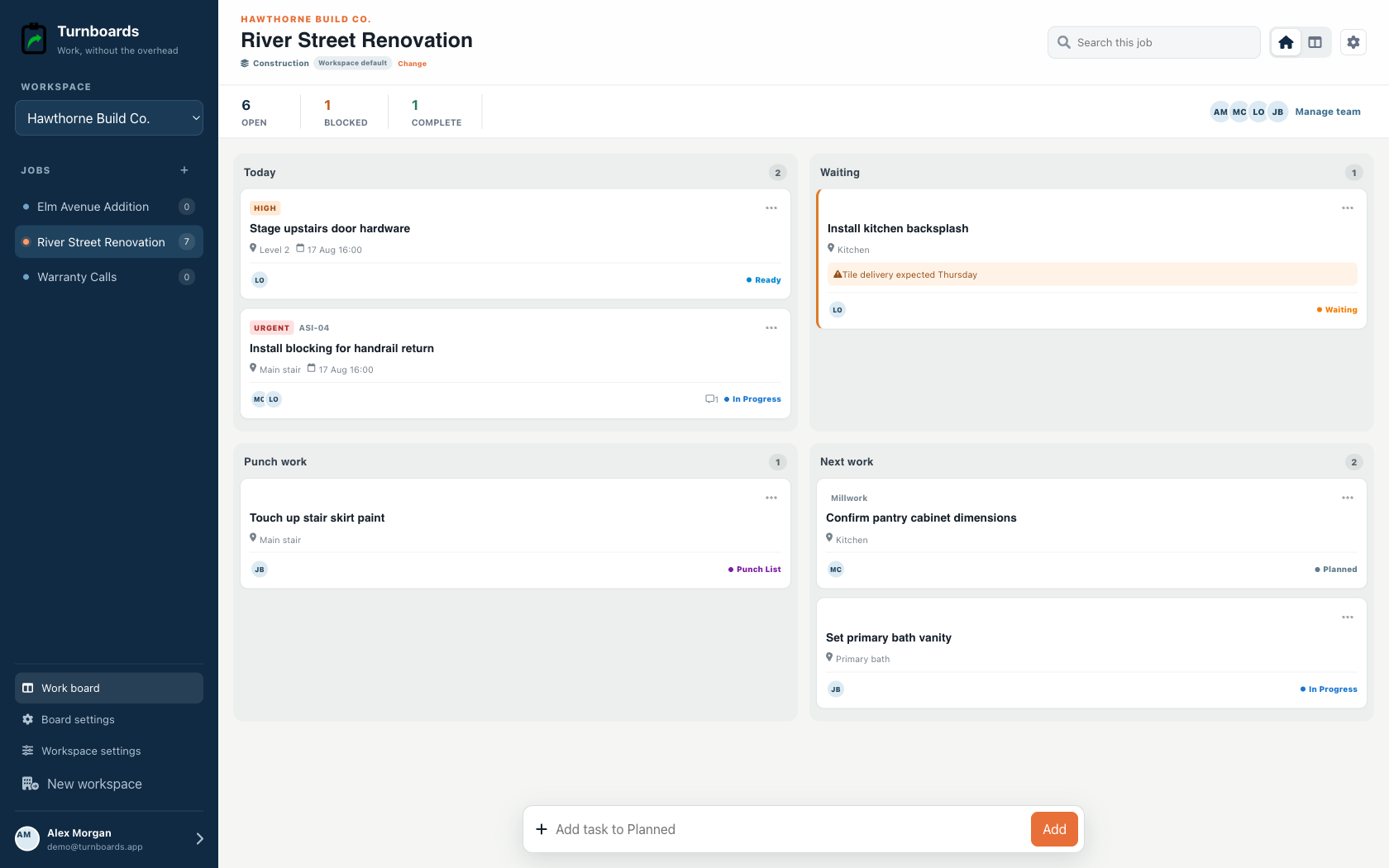
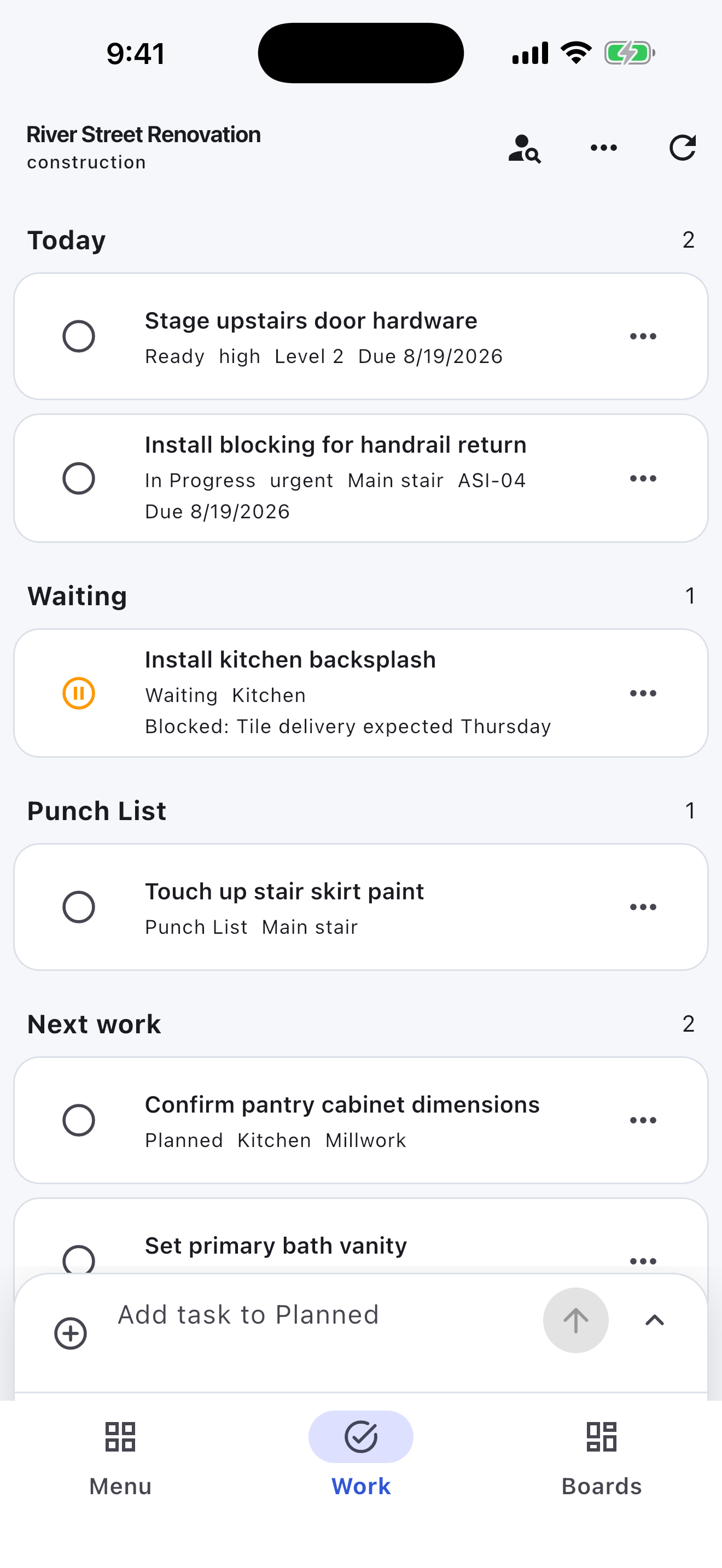
See Today, Waiting, Punch work, and Next work at a glance.
Repair-job next actions
Turnboards gives handyman businesses a simple way to organize repair jobs, customer requests, materials, estimates, and follow-up tasks.
Create a board for each customer, property, room, or job. Add the work that needs to happen, assign tasks when someone is helping, and move repairs from Backlog to Active to Complete.
No credit card. Create your first board in minutes.


Start with the work you already have
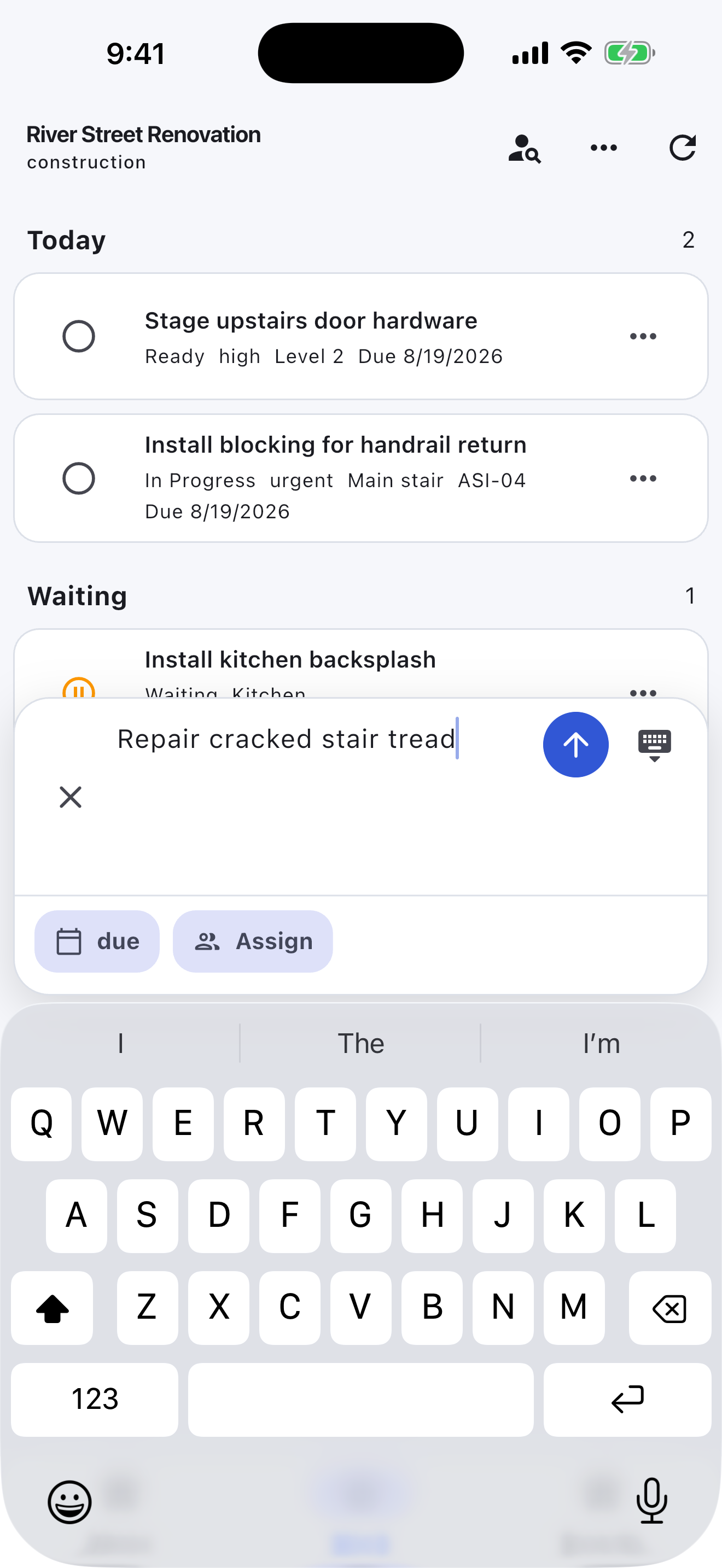
Add the next few tasks, give them an owner, and keep the details beside the work. You can add more as the job moves forward.
Try your own board →Illustrative tasks. Choose stages that fit your work.
Built for the field
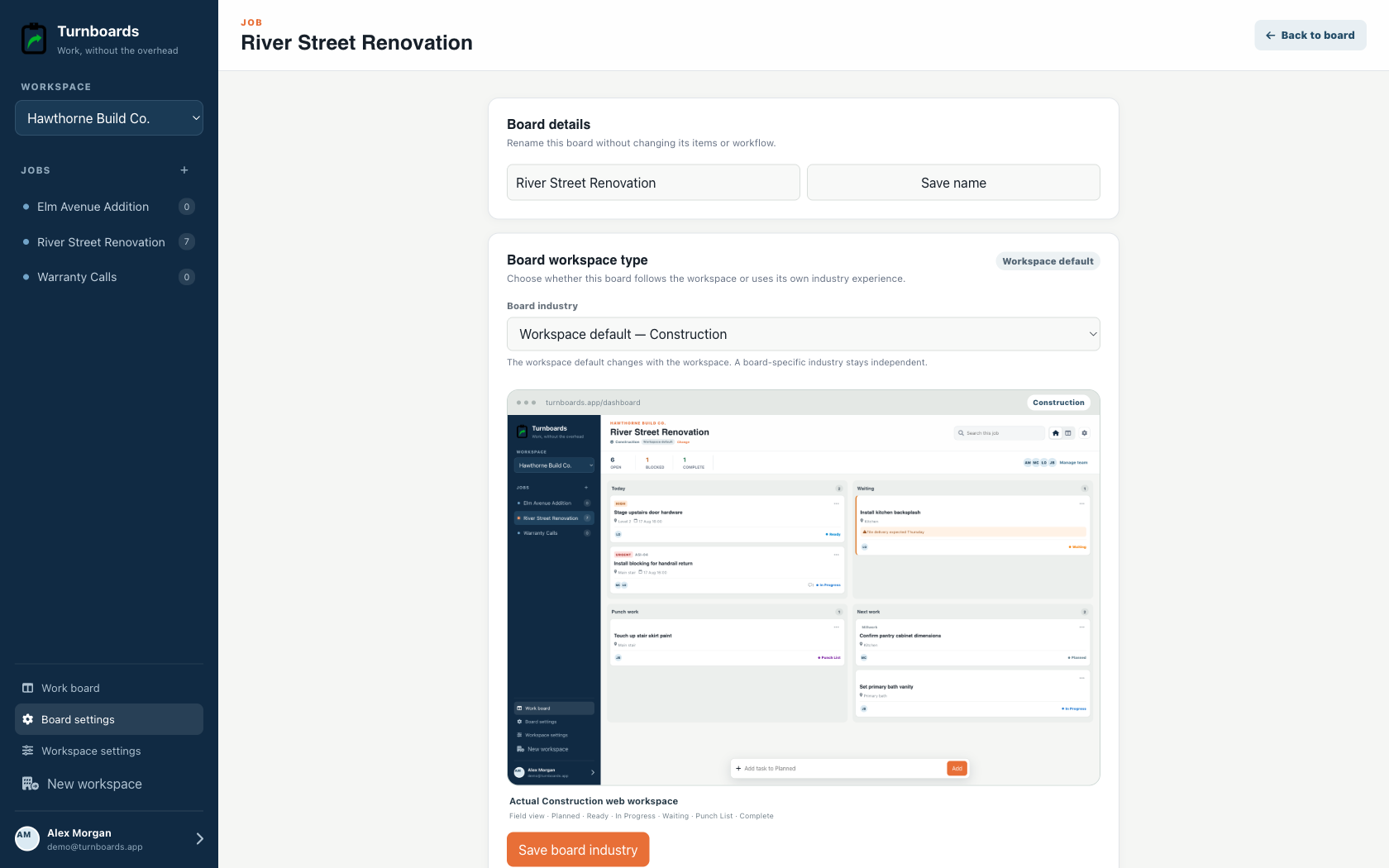
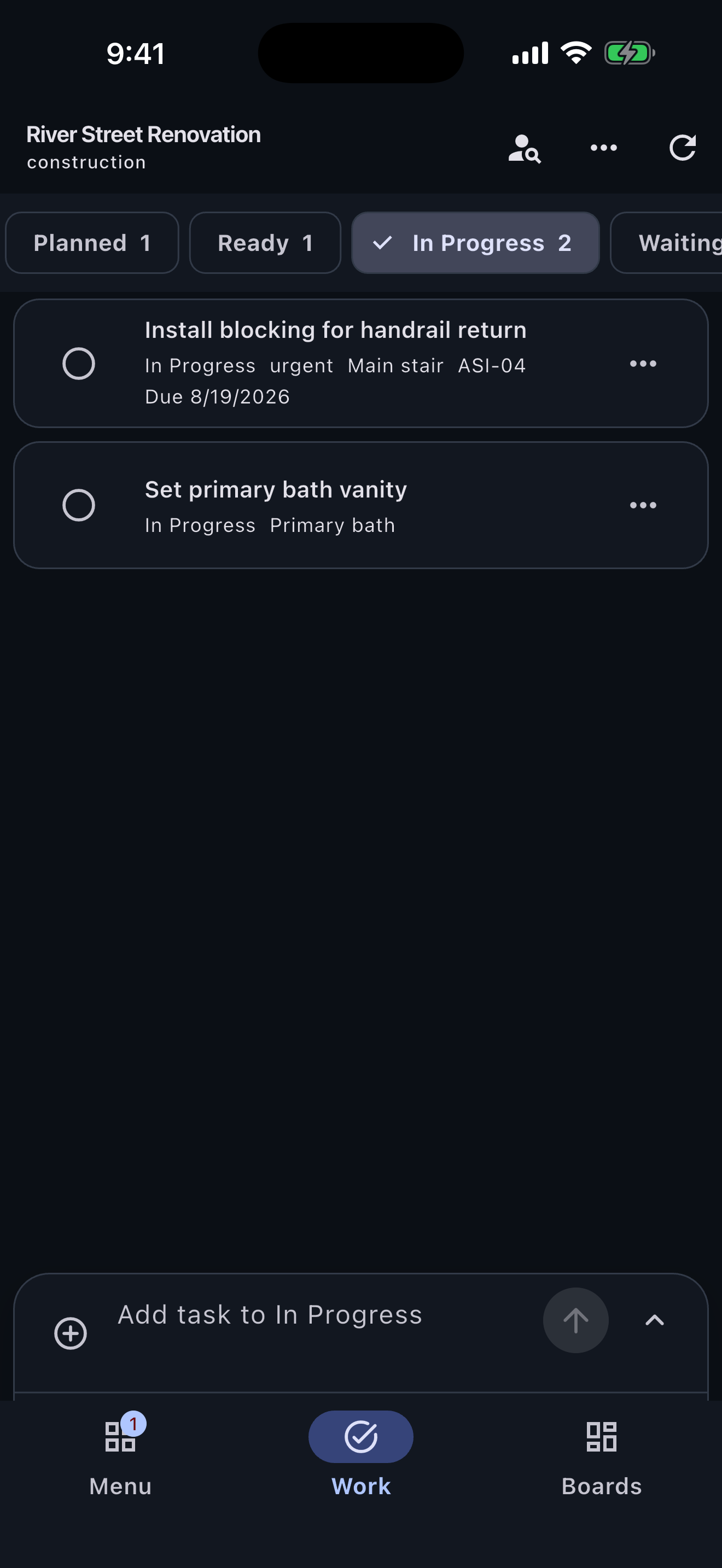
Construction workspaces surface location, urgency, job references, blockers, and punch work instead of forcing a crew into a generic task board.
See Today, Waiting, Punch work, and Next work at a glance.
Keep room, phase, due state, and crew ownership on every task.
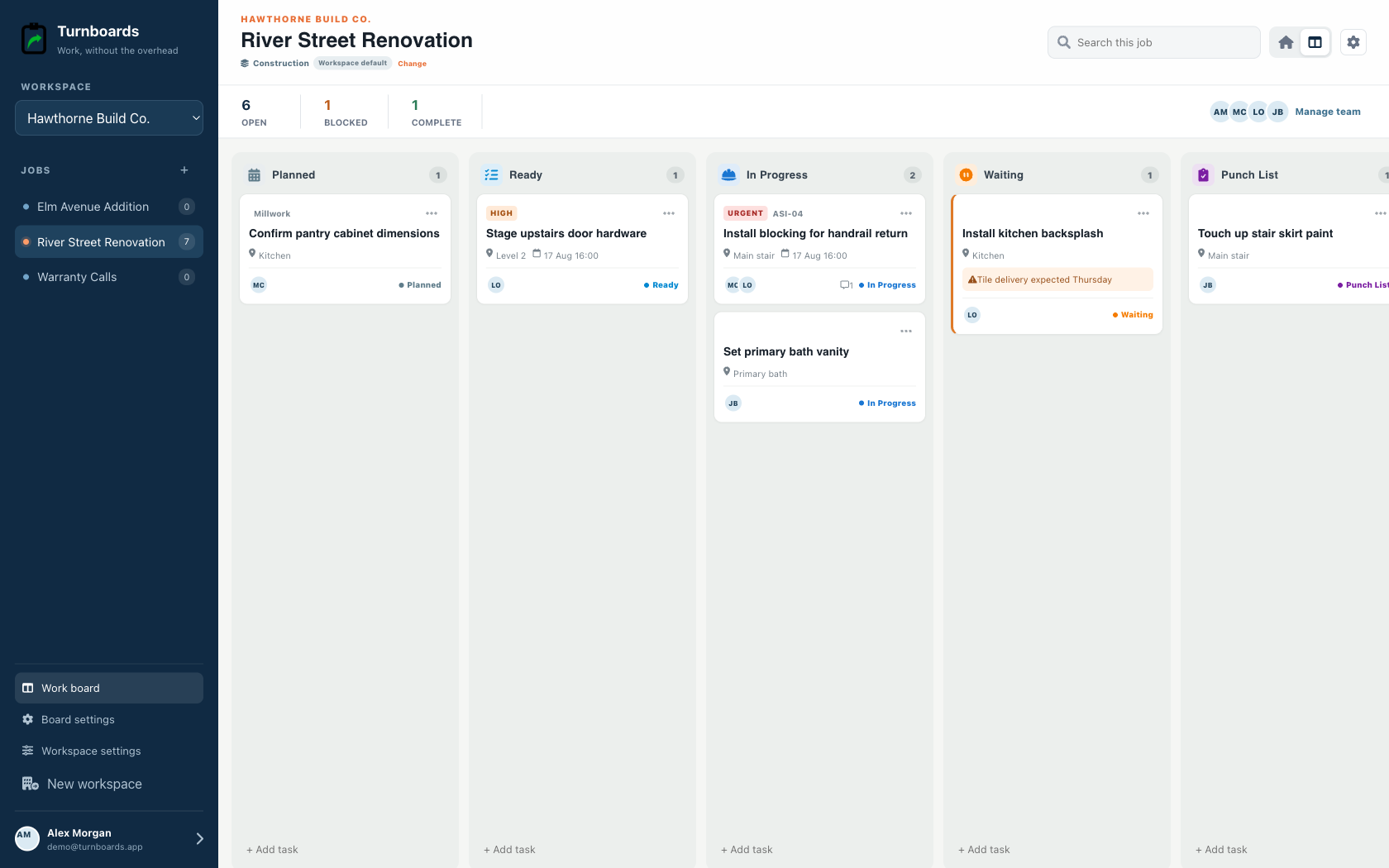
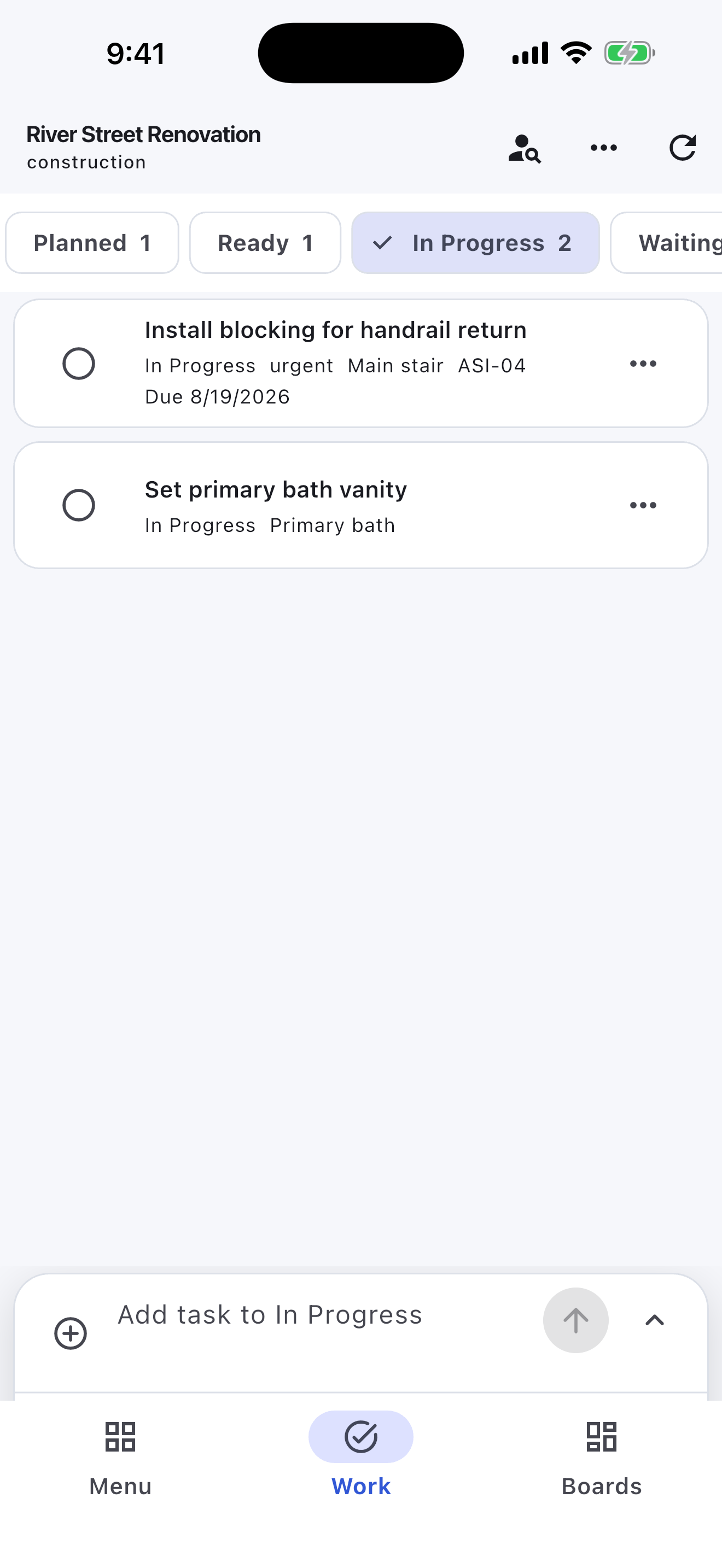
Move through Planned, Ready, In Progress, Waiting, Punch List, and Complete.
Handyman work gets messy when every repair note, material reminder, and customer request lands in the same phone notes app. Turnboards lets each customer or property have its own board.
Use Turnboards like a lightweight handyman checklist app. Add each repair step, then update the list as you pick up parts, finish work, and schedule follow-up.
If another tech, helper, spouse, or subcontractor is involved, Turnboards makes ownership clearer so small details do not slip.
Repair schedules change when parts are missing, customers reschedule, or a small fix turns into a bigger job. Turnboards keeps the work easy to scan with Backlog, Active, and Complete.
Put future requests in Backlog, move today's repair work into Active, and mark finished items Complete before you leave the property.
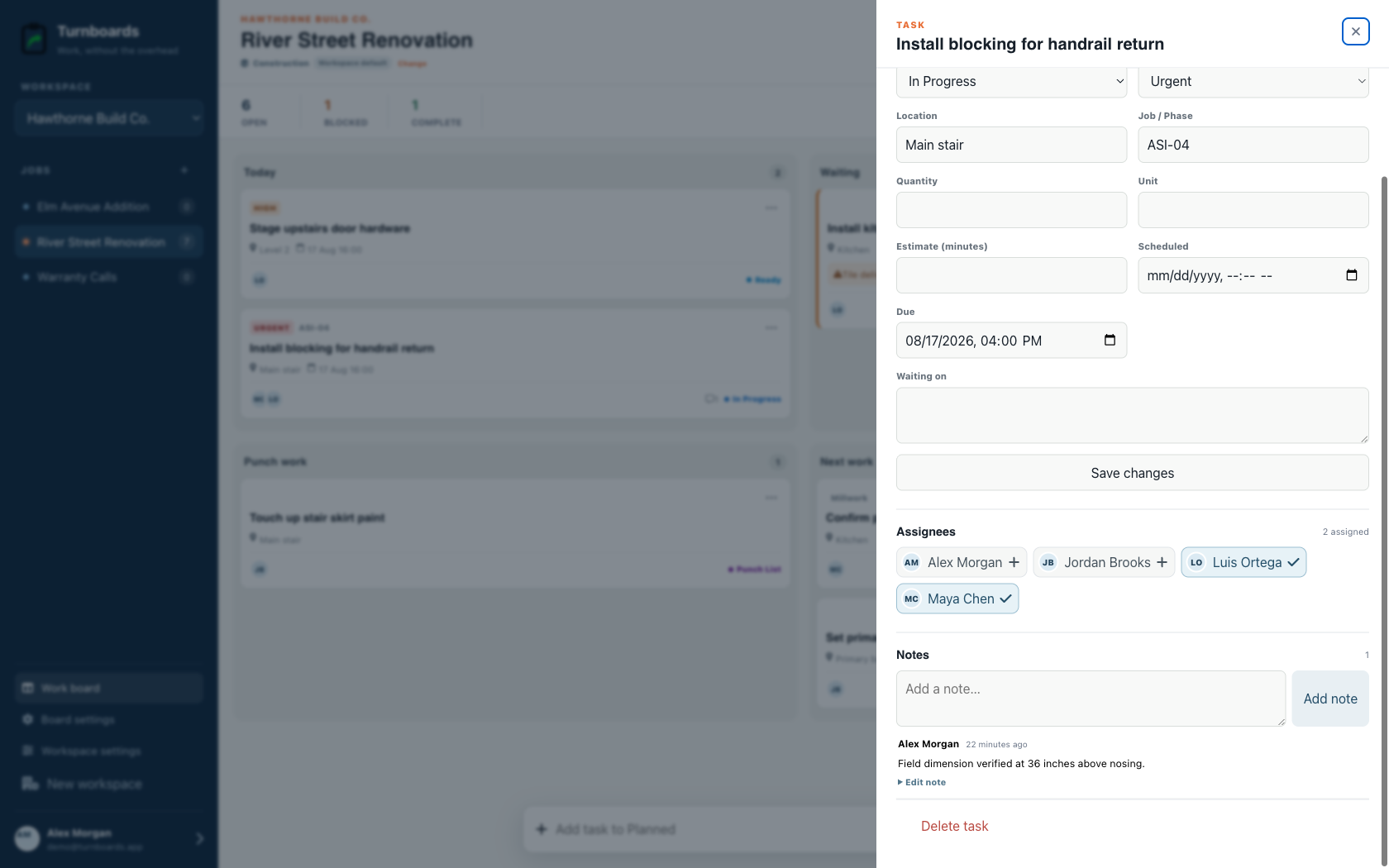
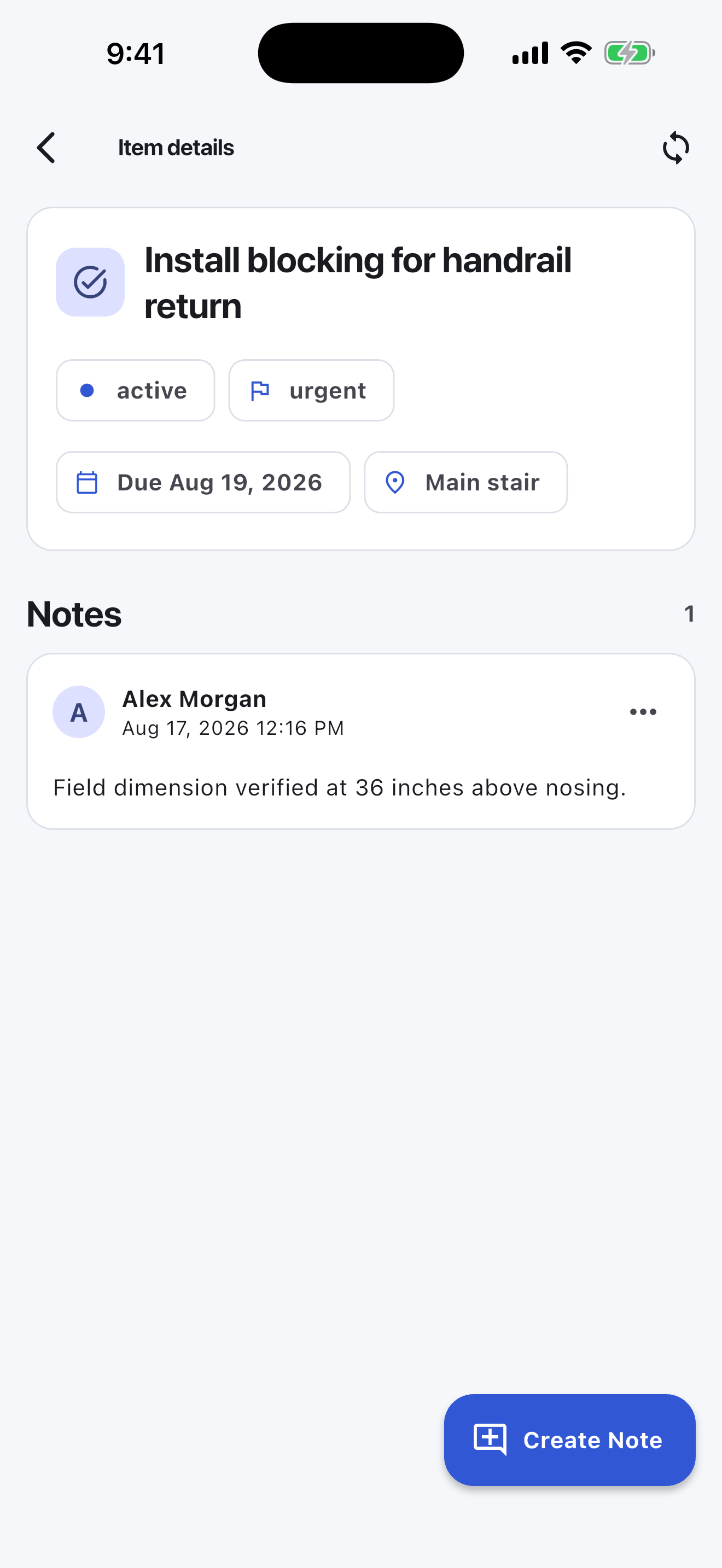
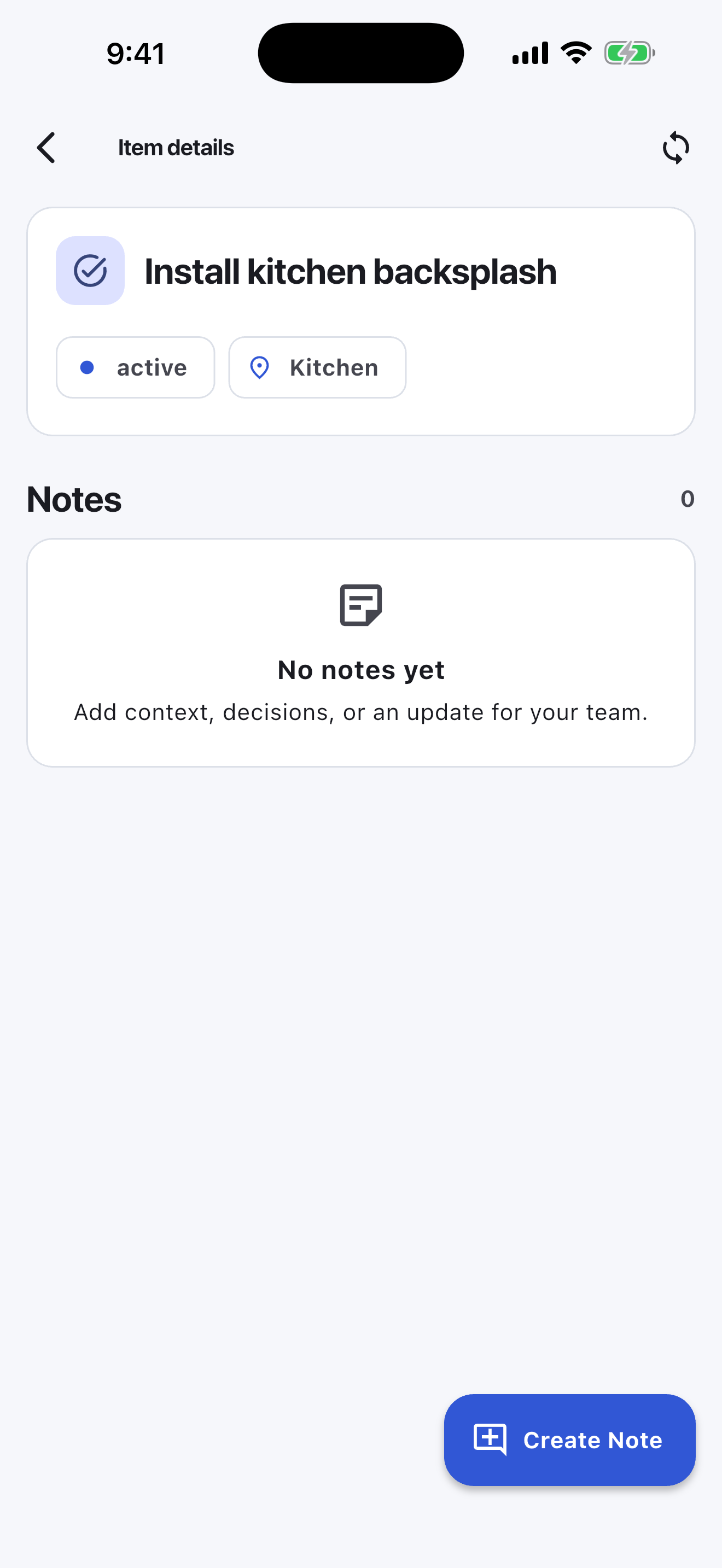
Some handyman tasks need details: a measurement, paint color, model number, gate code, customer preference, or reminder about what did not fit. Notes in Turnboards keep that context attached to the task.
The mobile app in action
These are real screens from the same industry workspace shown above, using realistic fictional work. Scroll through the complete App Store screenshot set.
Turnboards does not create estimates, invoices, work orders, customer records, routes, timecards, or payment links. It fits the small operator who only needs a shared list for what happens next on the job.
Turnboards is for small handyman businesses that need a practical way to capture work, organize it by customer, assign tasks, and see what is done.
If your repair jobs are spread across calls, texts, receipts, and memory, Turnboards gives you a simple place to keep the work moving.