Three clear stages
Start immediately without configuring a process.
Checklist-style work without automation
Turnboards can hold checklist-style tasks for routines your team performs often, while keeping the current work assigned and visible.
Turnboards does not automatically regenerate or reset recurring tasks. Add each current task when it is needed, then move it through Backlog, Active, and Complete.
No credit card. Create your first board in minutes.


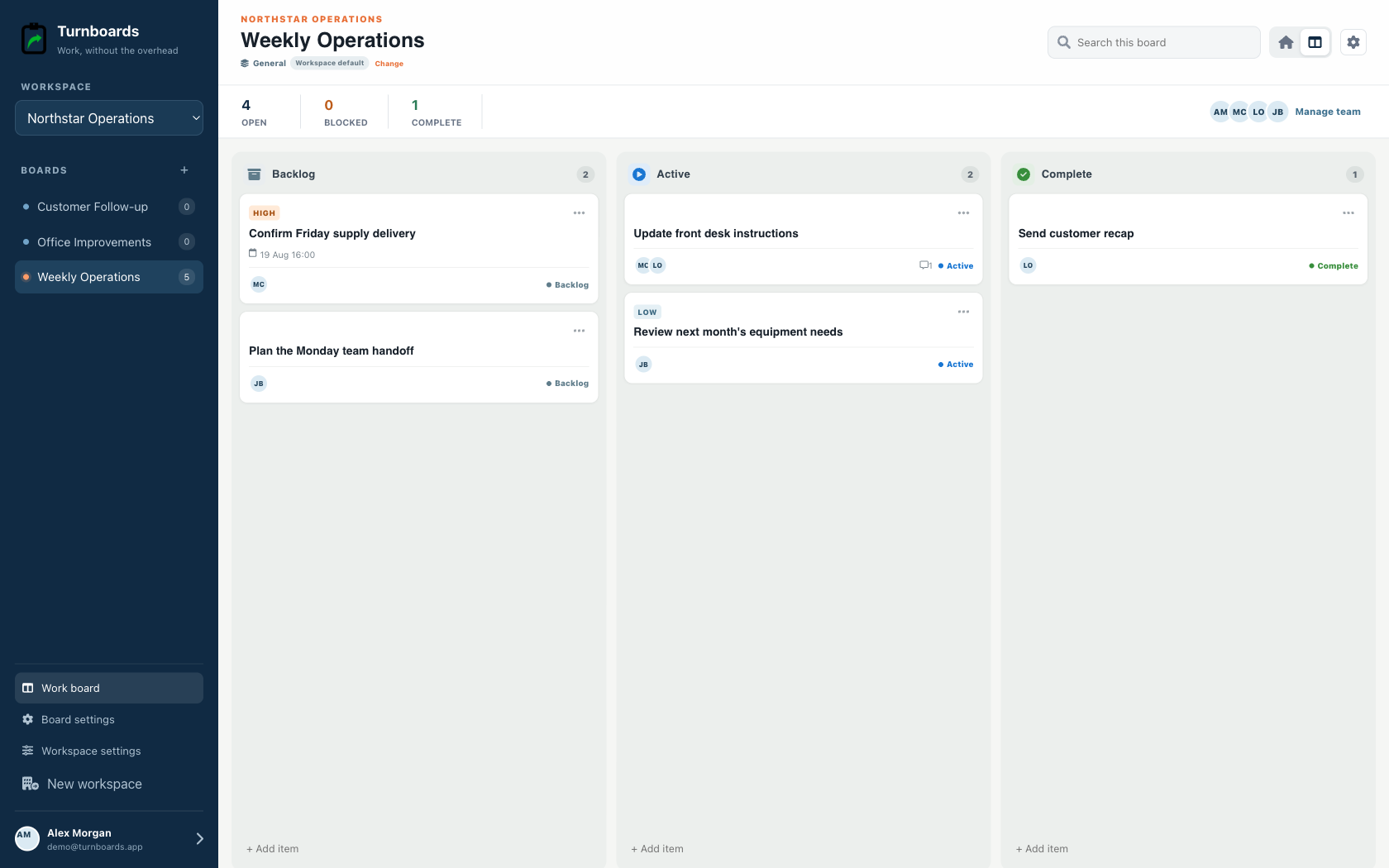
Start with the work you already have
Add the next few tasks, give them an owner, and keep the details beside the work. You can add more as the job moves forward.
Try your own board →Illustrative tasks. Choose stages that fit your work.
A flexible starting point
General workspaces keep the familiar Backlog, Active, and Complete flow while adding assignments, notes, due dates, and instant web access.
Start immediately without configuring a process.
Add the next item from any stage in one line.
Use boards for operations, customers, or internal projects.
Repeat operations need checklists that are easy to scan and update. Turnboards keeps recurring work tied to the board where it belongs.
Turnboards keeps checklist status simple. Backlog is for planned items, Active is for work in motion, and Complete is for finished tasks.
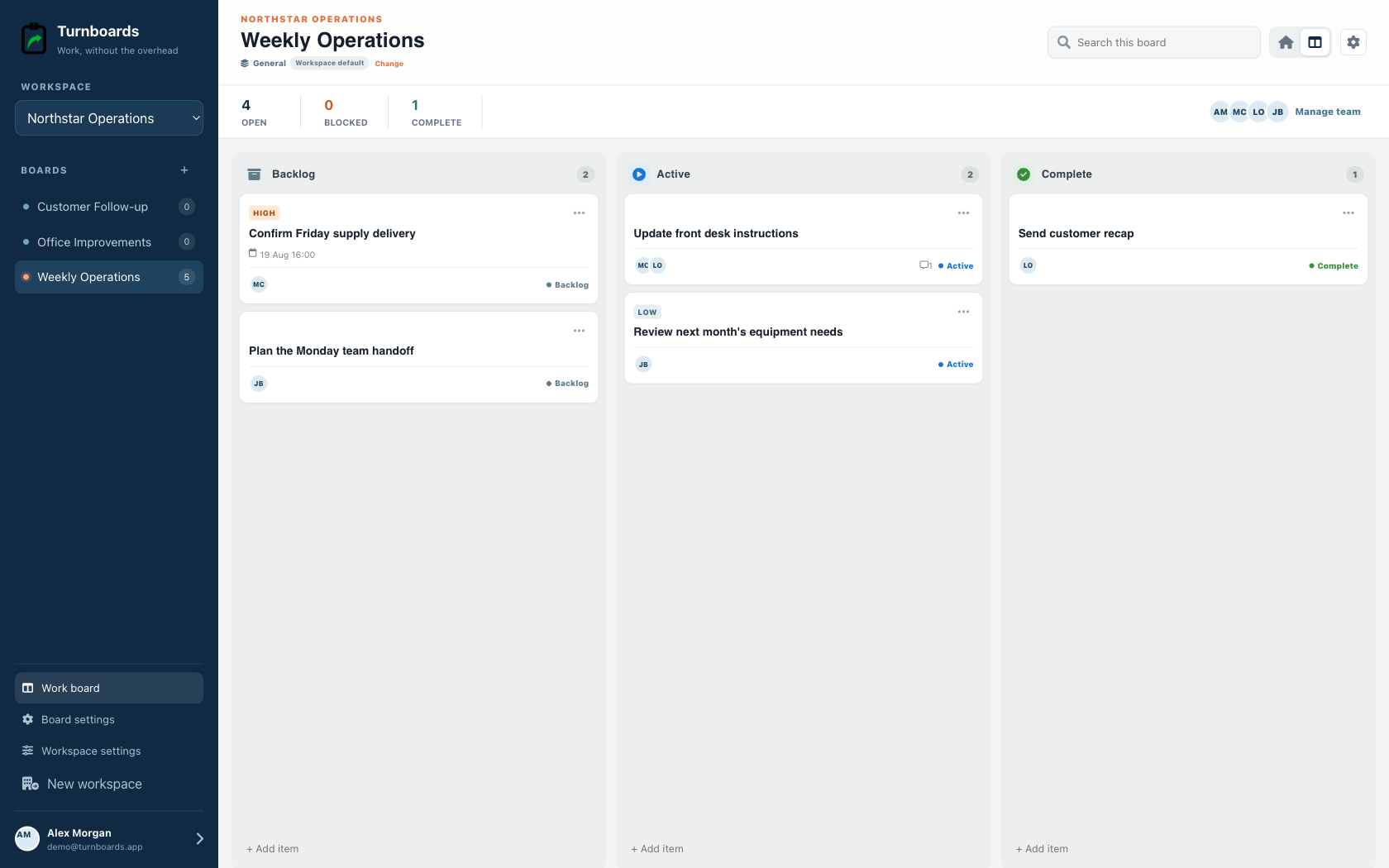
Recurring checklists often need more than a checkbox. Turnboards lets you assign checklist items and keep instructions attached to the task.
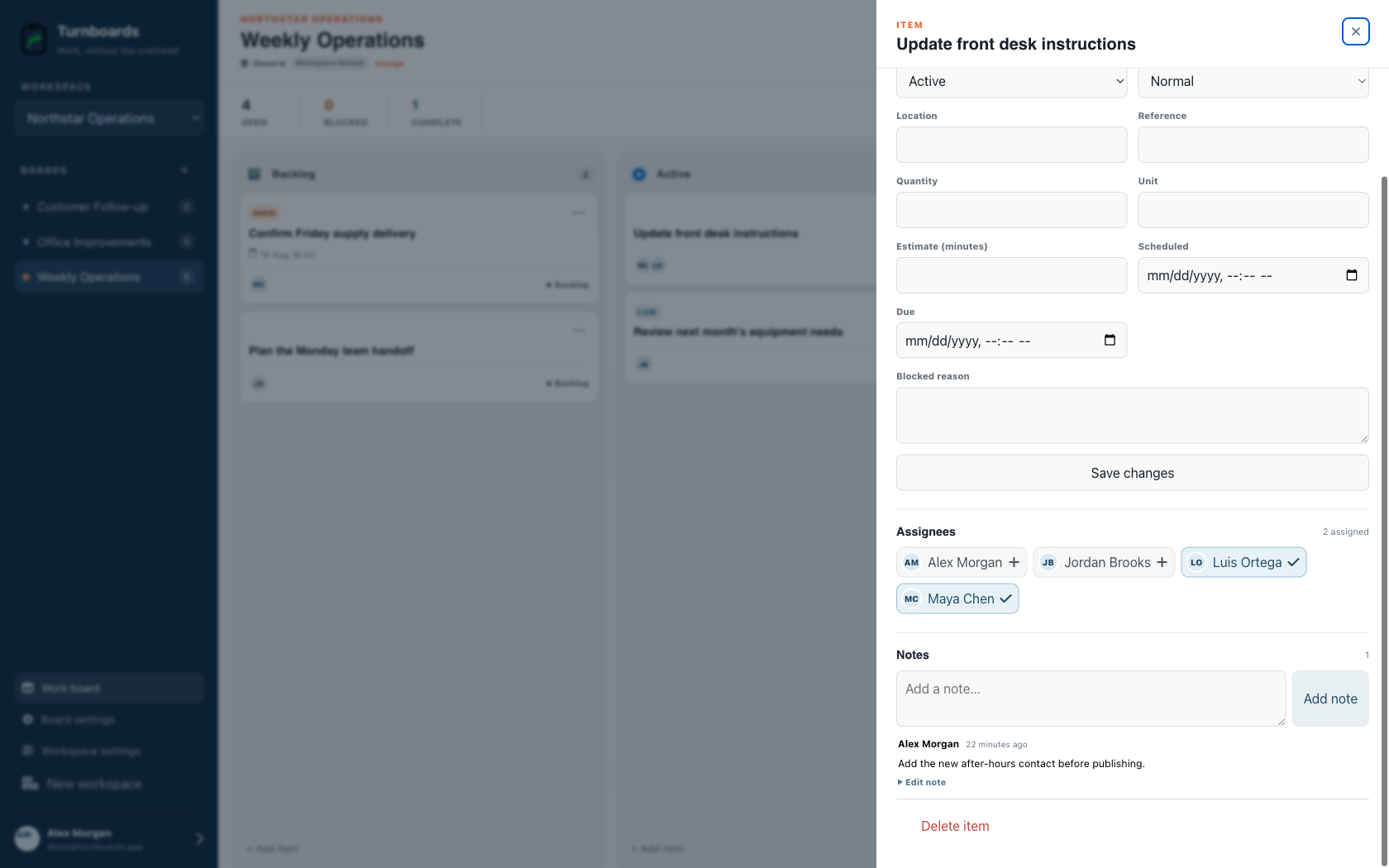
Turnboards does not regenerate checklists, reset completed items, schedule recurring tasks, enforce required steps, collect inspection proof, or maintain compliance records. Use it for manually created checklist-style work.
Turnboards helps simplify recurring work by combining checklist items, status, assignments, and notes in one app.
It is useful when repeat work needs more structure than a plain checkbox list, but less overhead than a full operations platform.