See the whole week
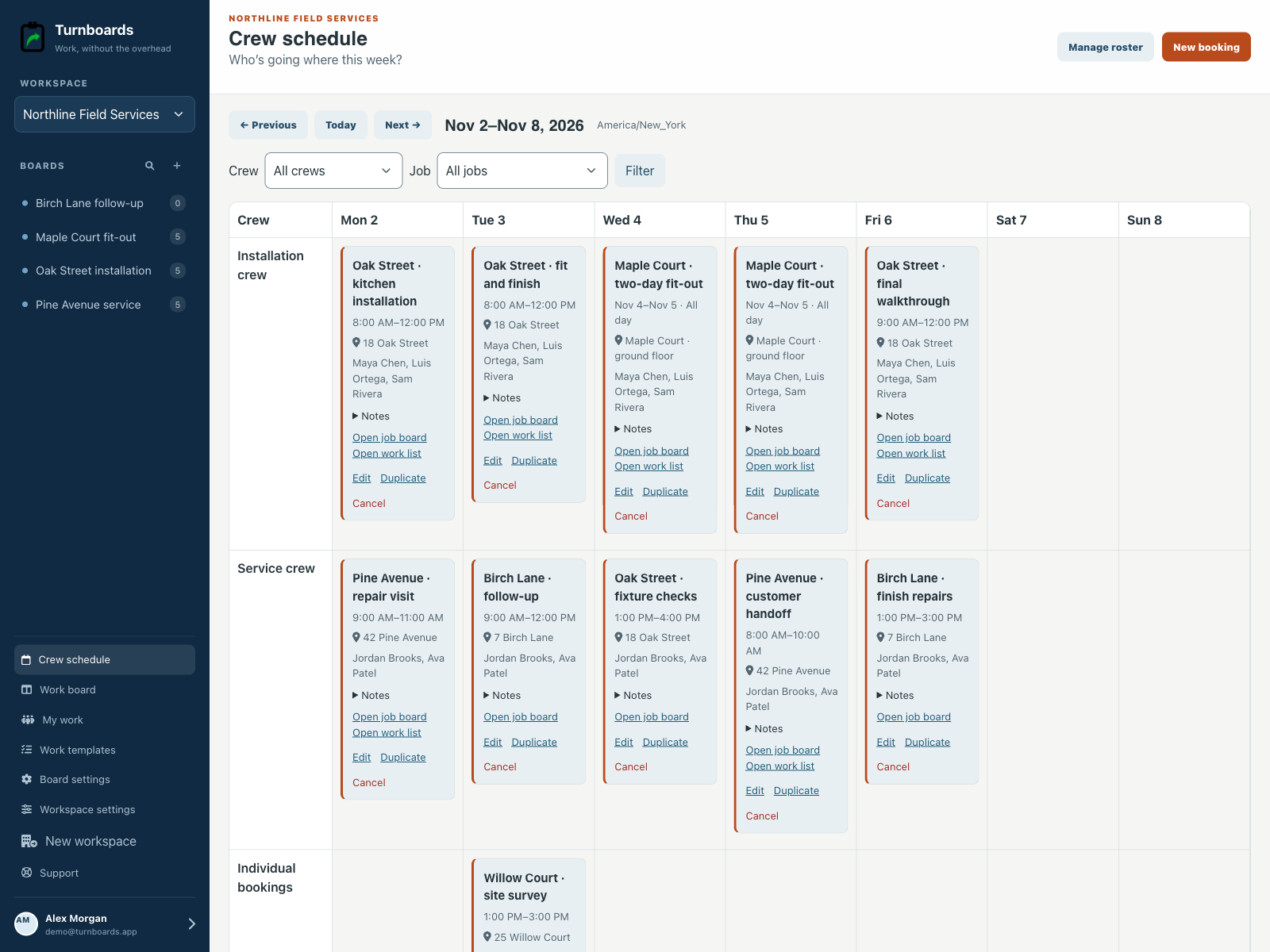
View crews as rows and days as columns. Move through weeks and filter by crew or job when the plan gets busy.
Crew scheduling for small field teams
Give the week a plan everyone can follow. Book crews onto jobs, keep visit details together, and open the work board when it’s time to get started.
No credit card. Create your first board in minutes.


From the office to the next job
Plan the people and the visit together, then keep the job’s work close by.
View crews as rows and days as columns. Move through weeks and filter by crew or job when the plan gets busy.
Add people by name, even without a login. Save reusable crews and adjust the people on a particular booking.
Reserve an all-day date range or choose start and end times. Keep locations and visit notes alongside the booking.
Get a warning when someone is booked on another visit, including as part of a different crew. Review the conflict before saving.
Link a visit to its board so the crew can find the checklist, notes, and task status. You can add the board link later.
Edit, duplicate, or cancel bookings on the web. Saved changes become available to signed-in crew members on their next sync.
A plan that travels with the job
The website switches to a day-by-day agenda on a phone. In the mobile app, linked members can browse My schedule and the workspace schedule.
Planning and editing happen on the web. Mobile schedule views are read-only; check the last-sync time before relying on an offline plan.
Read the crew-planning guide →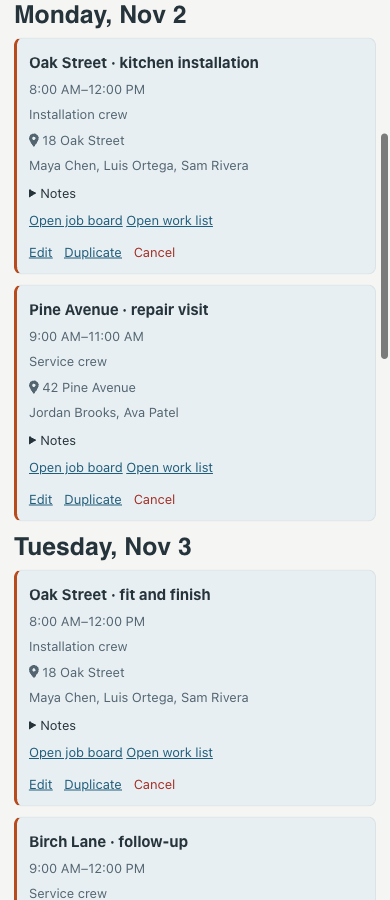
Built for small field teams
Use it for installations, maintenance visits, cleaning jobs, landscaping work, or contractor follow-ups. Keep your existing tools for payroll, time off, route optimization, and shift coverage.
See a five-step planning routine →A few useful details
No. Add people by name and group them into crews. Link a person to a workspace member when they need their own My schedule view in the mobile app.
Yes. A booking can contain a title, location, notes, and people without a board. Link it to a board when the job’s work list is ready.
Turnboards warns about overlapping bookings for the same person, including across different crews. Review the conflict and change the booking or explicitly allow the overlap.
Yes. The web planner switches to a day-by-day agenda on smaller screens. The mobile app also provides read-only My schedule and workspace views, with the last synced schedule available offline.
This version covers job and visit bookings. Recurrence, shift coverage, time-off management, payroll, GPS routing, and automatic change notifications are not included.
Start with the next job
Set your workspace timezone, add the people you schedule, and put the first visit on the calendar.
No credit card. Create your first board in minutes.