Built for restoration field work

Keep Restoration Work Moving From Assessment to Final Inspection

Turnboards organizes assessment, approved work, drying and monitoring, holds, and final inspection for small restoration crews.

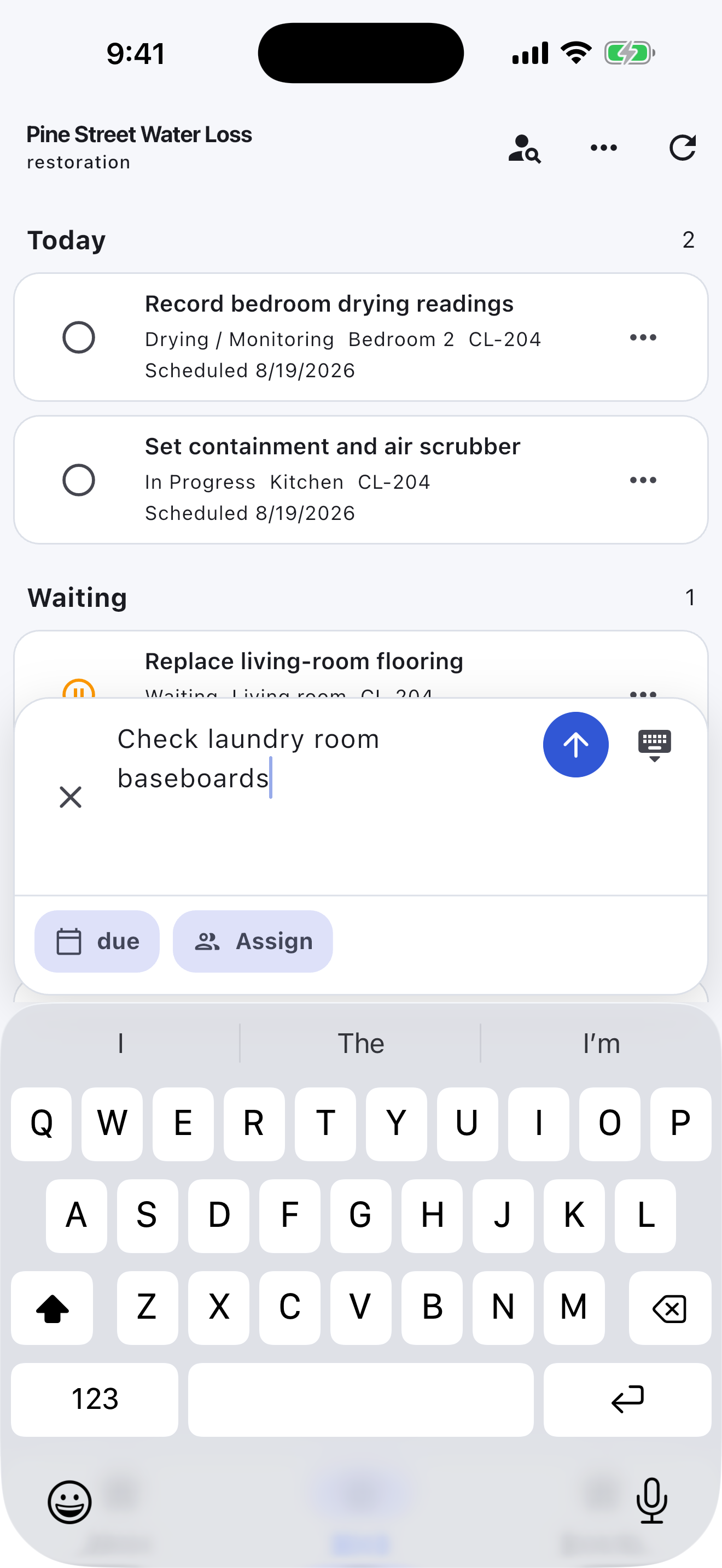
Create tasks in one line, then add property area, urgency, claim or job number, schedule, crew, and hold reason only when the work needs it.

No credit card. Create your first board in minutes.

Prefer the mobile app?

See how Turnboards works →

turnboards.app/dashboardRestoration & Remediation
Restoration & Remediation Turnboards web dashboard with realistic seeded work
Actual Restoration & Remediation web workspaceField view · New Loss · Assessment · Approved · In Progress · Drying / Monitoring · Waiting · Final Inspection · Complete

Built for the field

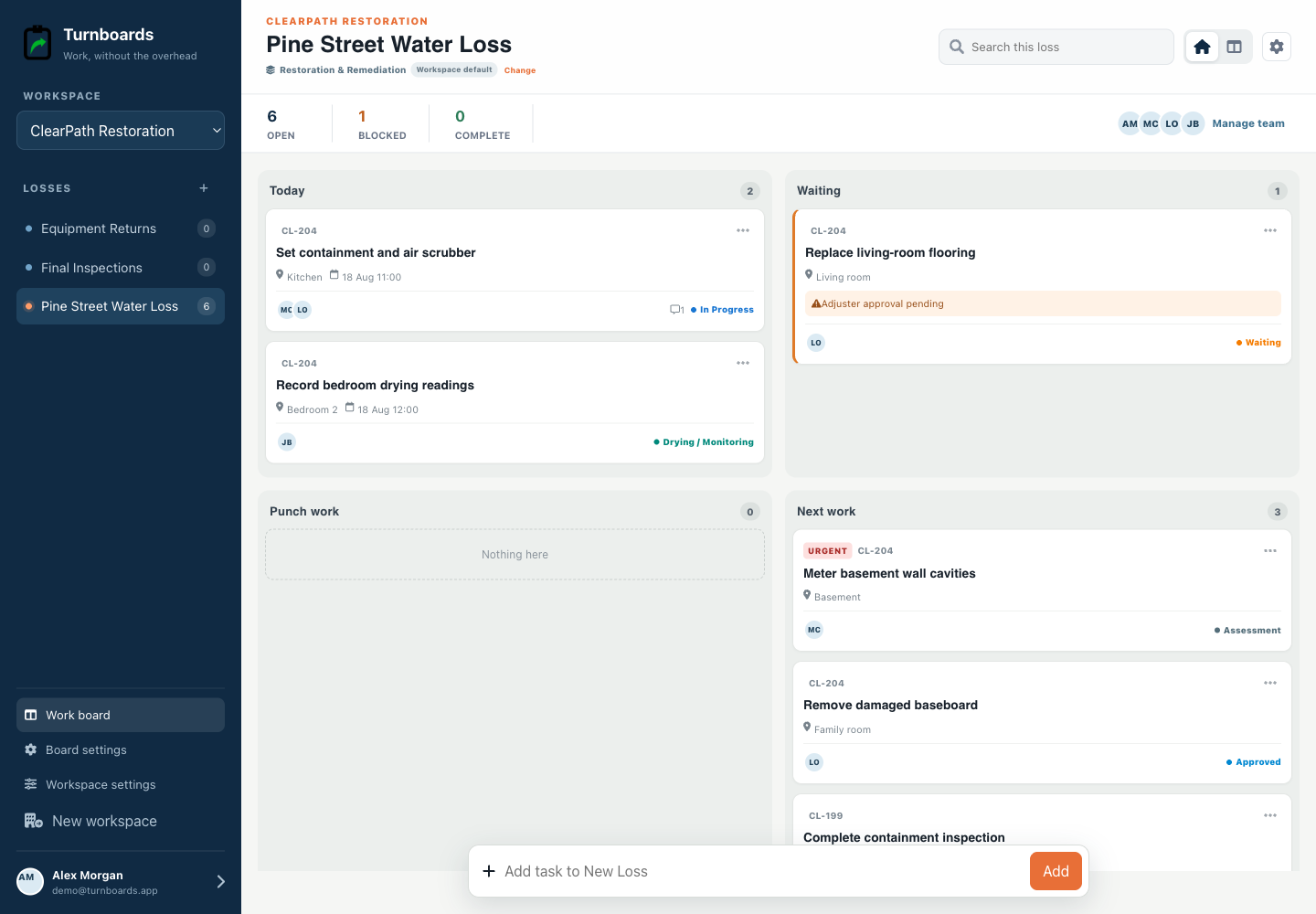
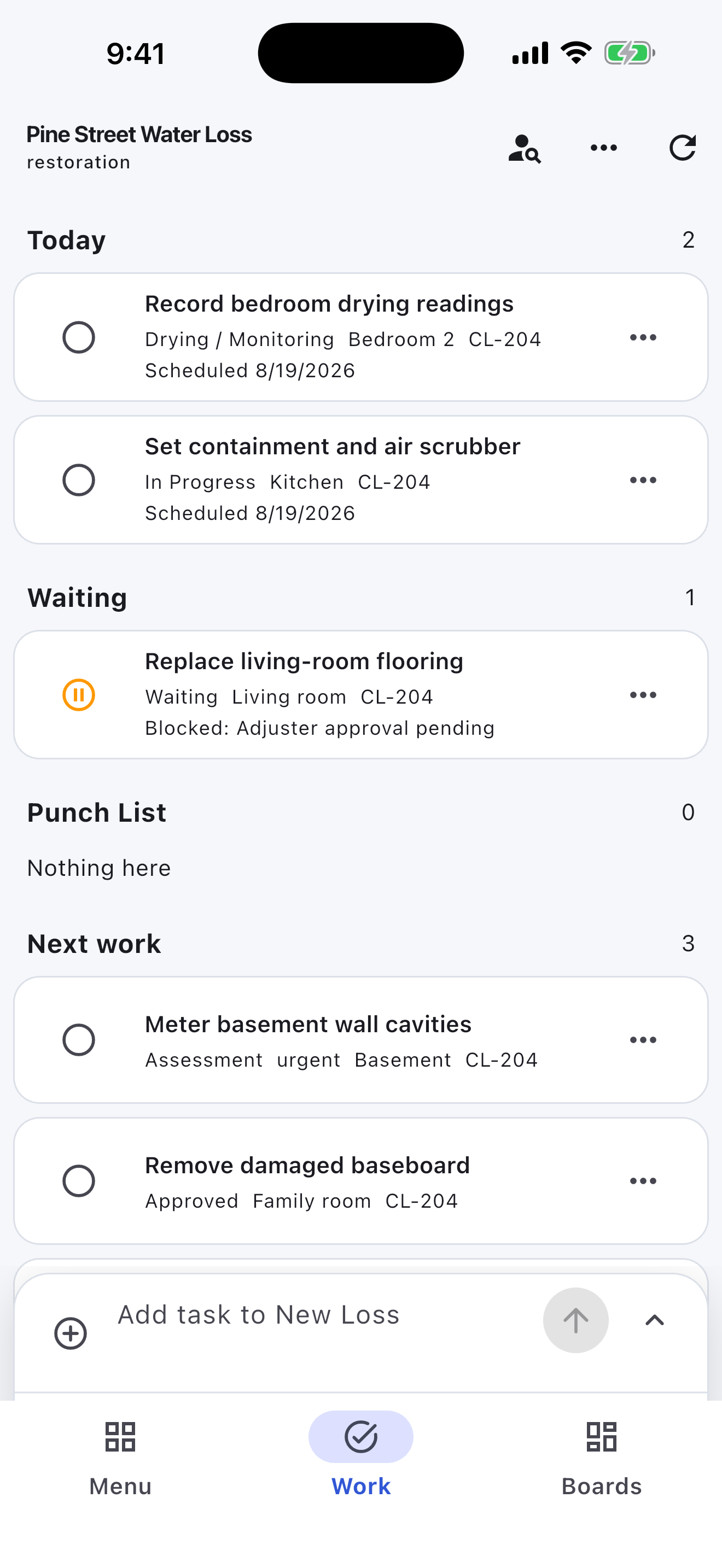
Today’s work, holds, and punch items in one job view

Construction workspaces surface location, urgency, job references, blockers, and punch work instead of forcing a crew into a generic task board.

Field-first home

See Today, Waiting, Punch work, and Next work at a glance.

Job-site context

Keep room, phase, due state, and crew ownership on every task.

Construction workflow

Move through Planned, Ready, In Progress, Waiting, Punch List, and Complete.

Start With the Workflow Your Team Already Uses

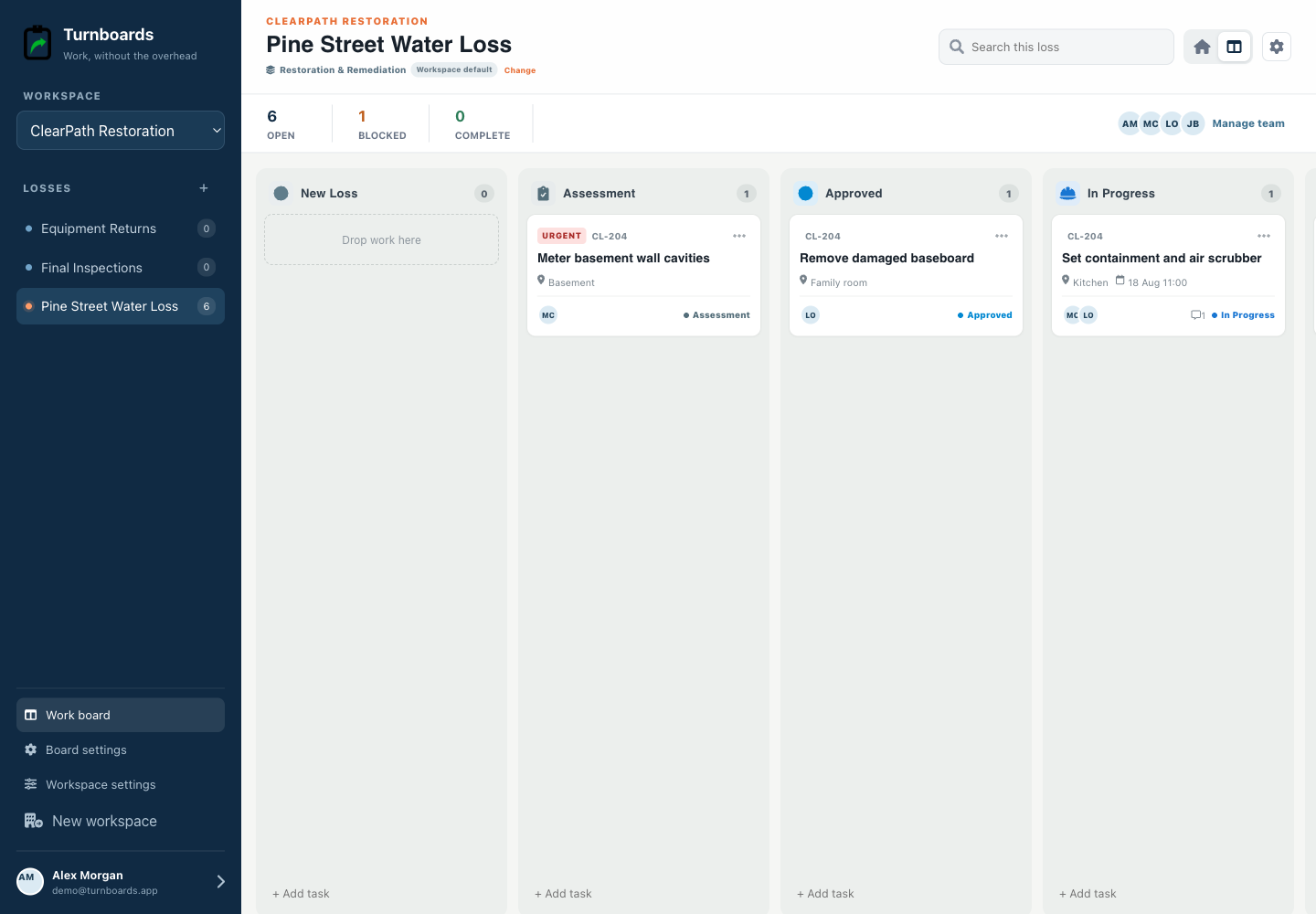
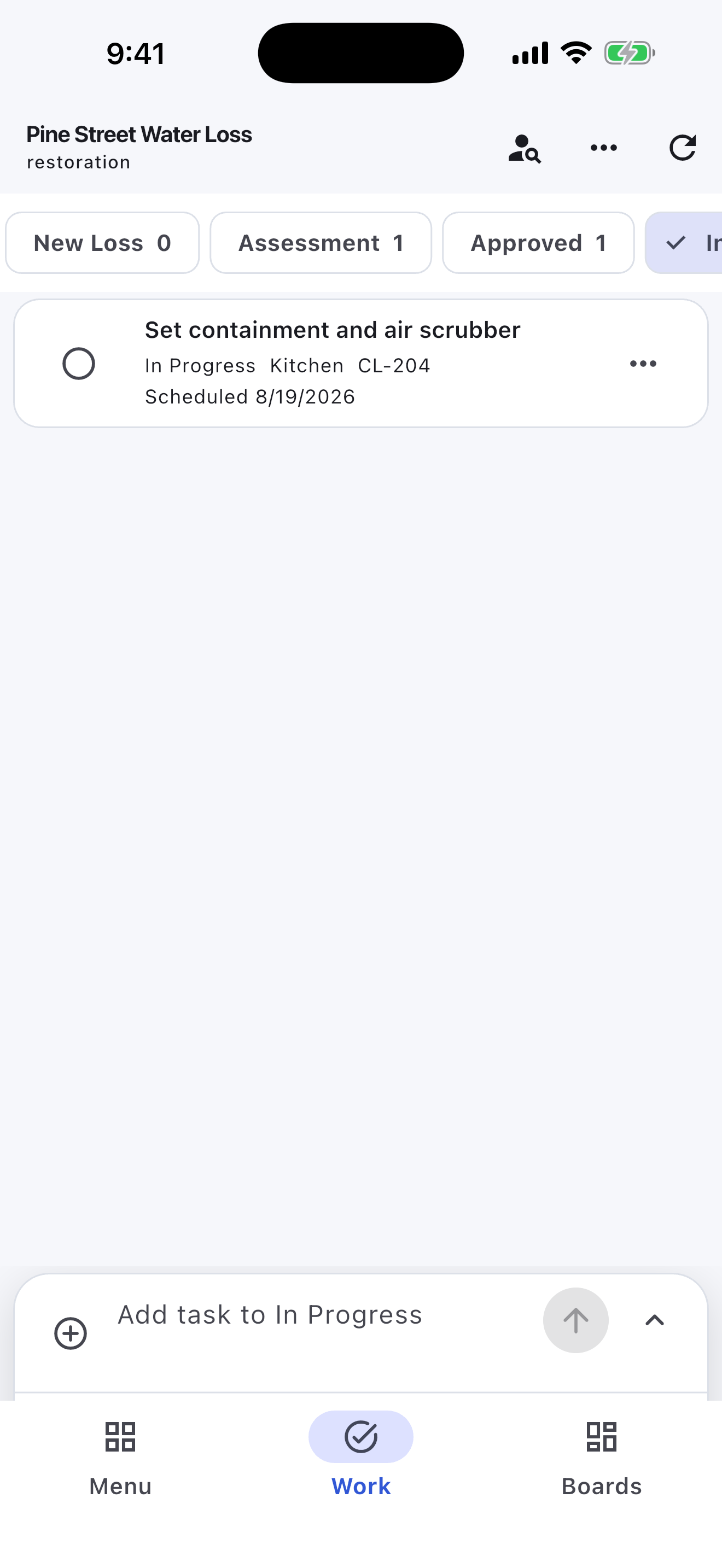
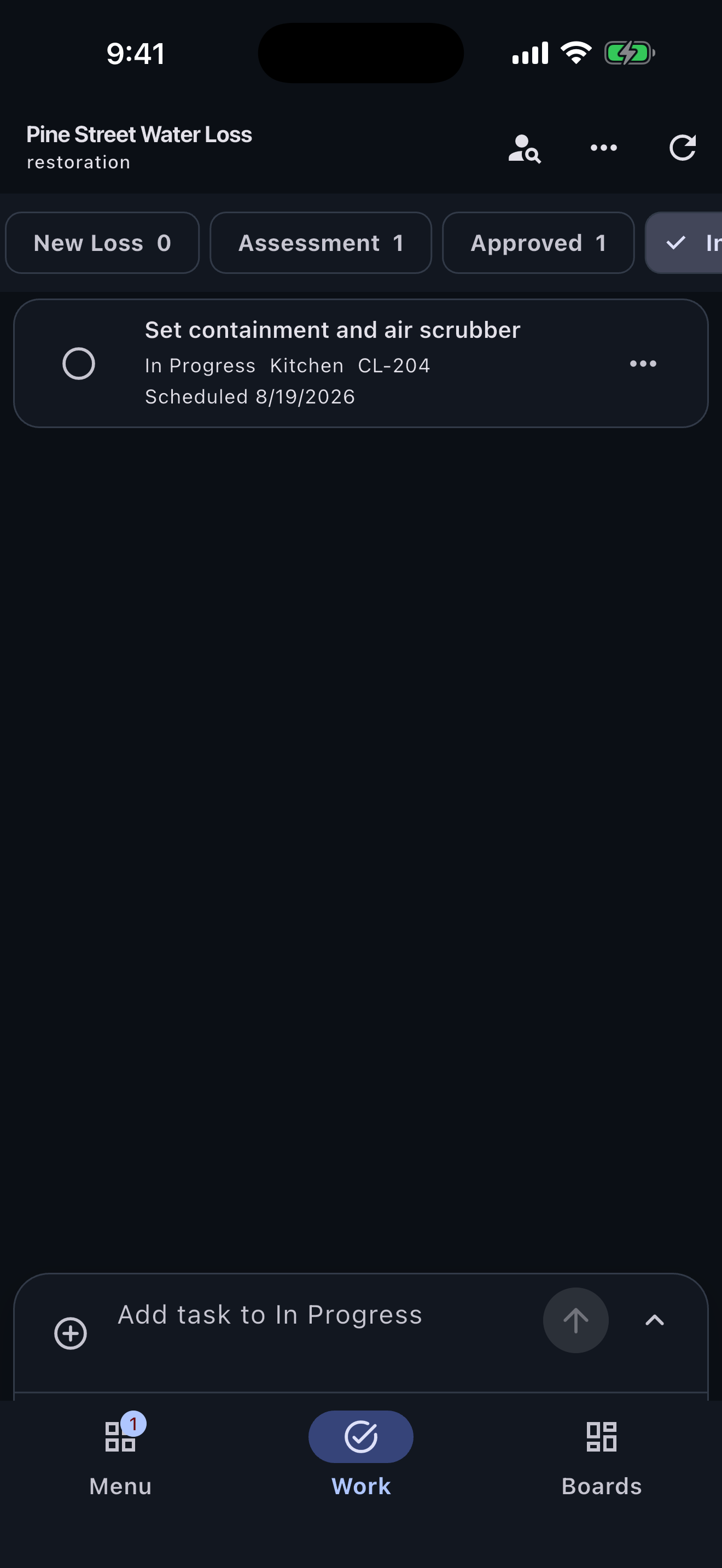
The Restoration & Remediation workspace opens with New Loss, Assessment, Approved, In Progress, Drying / Monitoring, Waiting, Final Inspection, and Complete rather than a generic three-column board.

  • See the current handoff without configuring a system from scratch.
  • Move work directly between any active stages.
  • Switch to the shared workflow view whenever the full pipeline is useful.
The complete Restoration & Remediation workflow in the Turnboards Restoration web dashboard
The complete Restoration & Remediation workflowSee every stage and move work without losing the one-line composer.

Capture Work First, Add Context Second

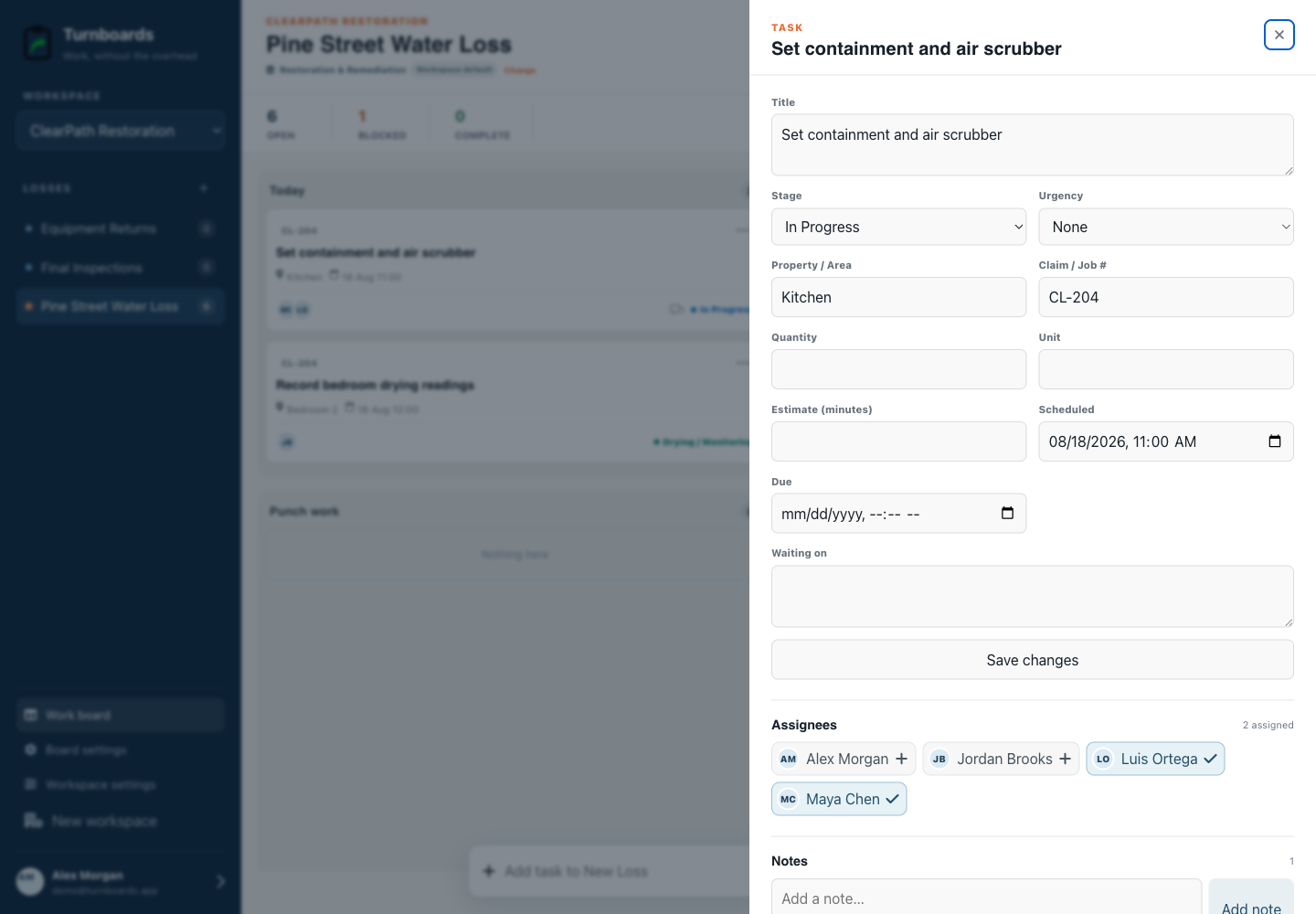
The persistent composer creates a task immediately. Details stay optional so field and production teams do not have to complete a form before recording work.

  • Keep property area, urgency, claim or job number, schedule, crew, and hold reason with the work.
  • Assign a teammate and add notes after creation.
  • Continue working offline in the mobile app and sync after reconnecting.
Task details without clutter in the Turnboards Restoration web dashboard
Task details without clutterAdd the fields that matter after fast creation, including industry-specific labels.

Keep Handoffs Visible

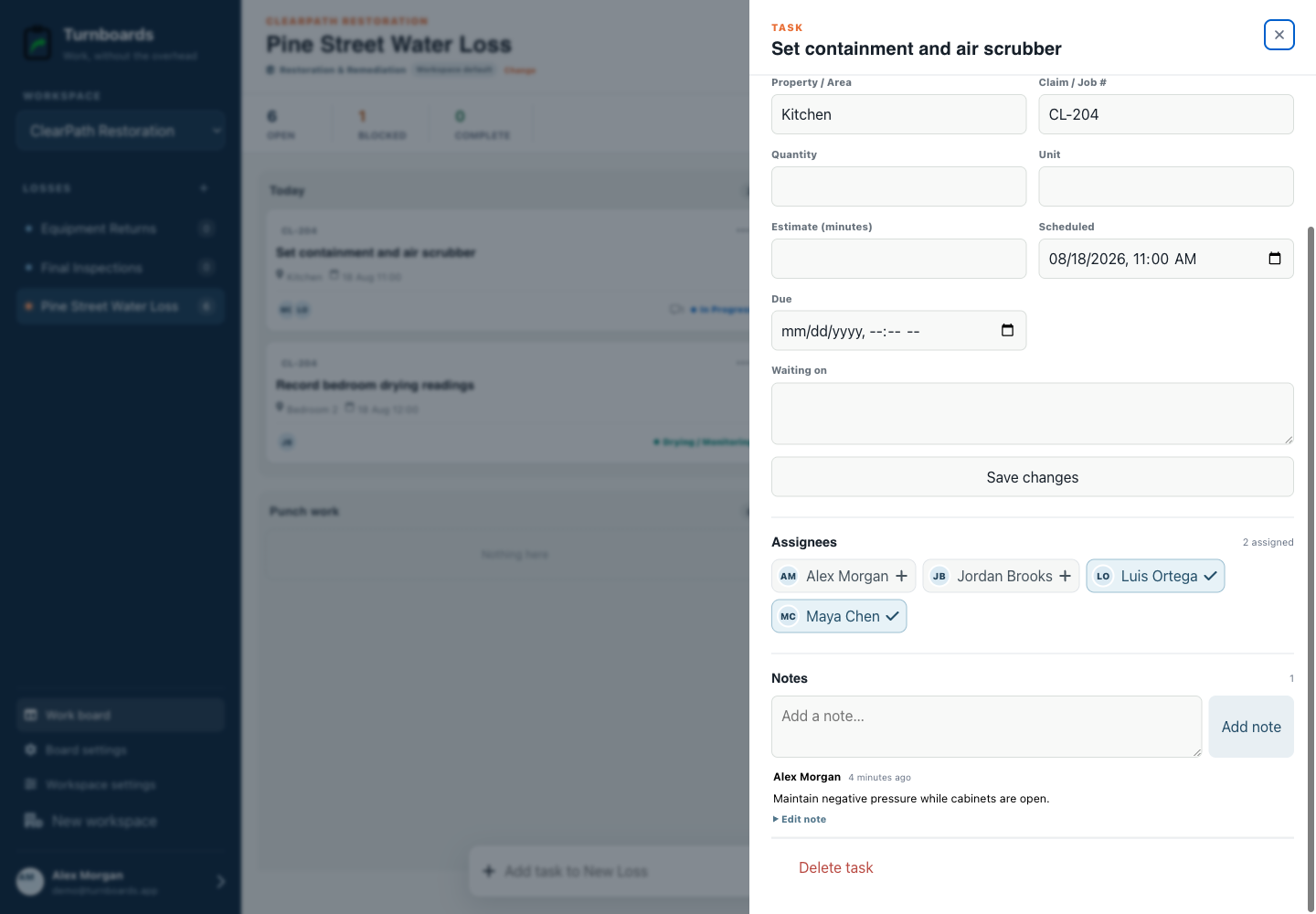
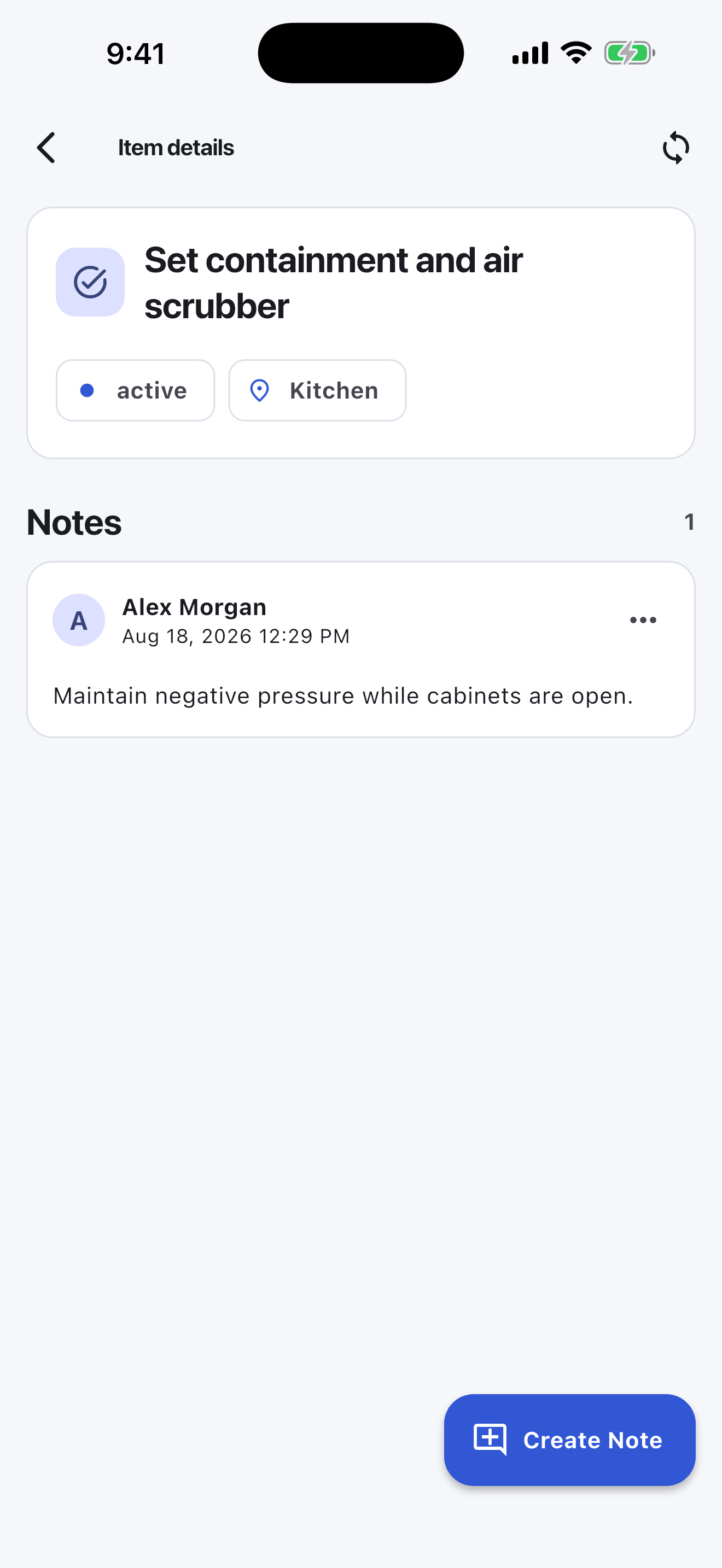
Assignments, notes, holds, and the current stage stay attached to each task, giving the next person one place to look.

  • Use the web dashboard for planning and review.
  • Use the mobile app where the work happens.
  • Customize stages later without changing the Board/Item model.
Assignments and notes together in the Turnboards Restoration web dashboard
Assignments and notes togetherGive work a clear owner and keep handoff context attached to the task.

Give Each Board the Right Workspace Type

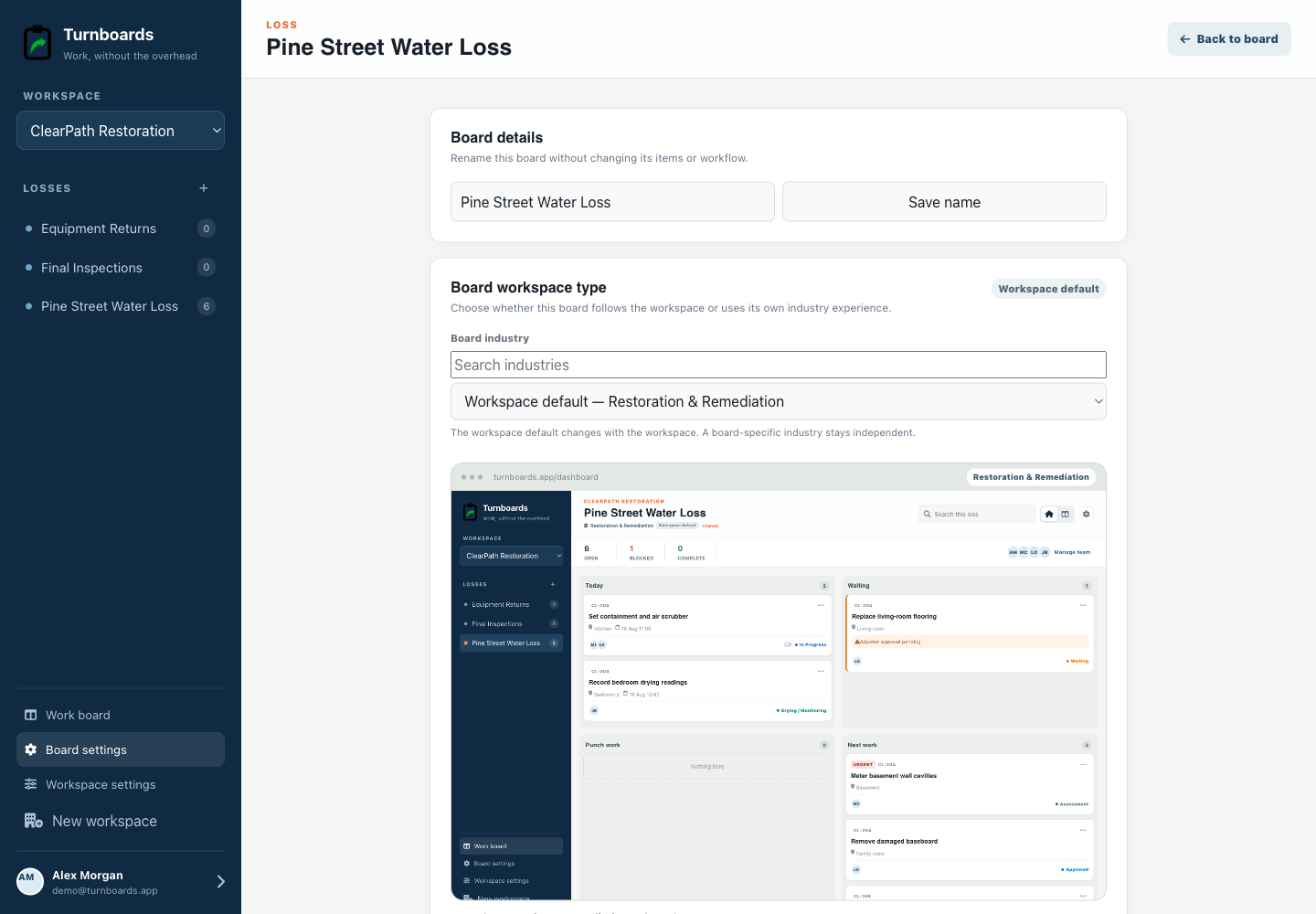
Administrators can use this workflow for the whole workspace or apply it only to Pine Street water loss.

  • Preview the stages before switching.
  • Map existing work into compatible stages.
  • Keep notes, assignments, and item history during the change.
Loss industry controls in the Turnboards Restoration web dashboard
Loss industry controlsKeep the workspace default or give this loss its own optimized experience.

A concrete starting point

Example board: Pine Street water loss

Use the wording your team already understands. A useful first board can be this small:

  • Assessment — meter basement wall cavities
  • Approved — remove damaged baseboard
  • In Progress — set containment
  • Drying / Monitoring — record bedroom readings
  • Waiting — adjuster approval for flooring

Know when a specialized operations system is the better tool

Turnboards does not create estimates, moisture reports, photo documentation, insurance records, equipment logs, signatures, or compliance files.

Put the next task on a board your team can use

Start free on the web, choose Restoration & Remediation, and add the next three actions.

No credit card. Create your first board in minutes.

Prefer the mobile app?