Crew execution without the spreadsheet
Make-Ready Task Management for Apartment Crews
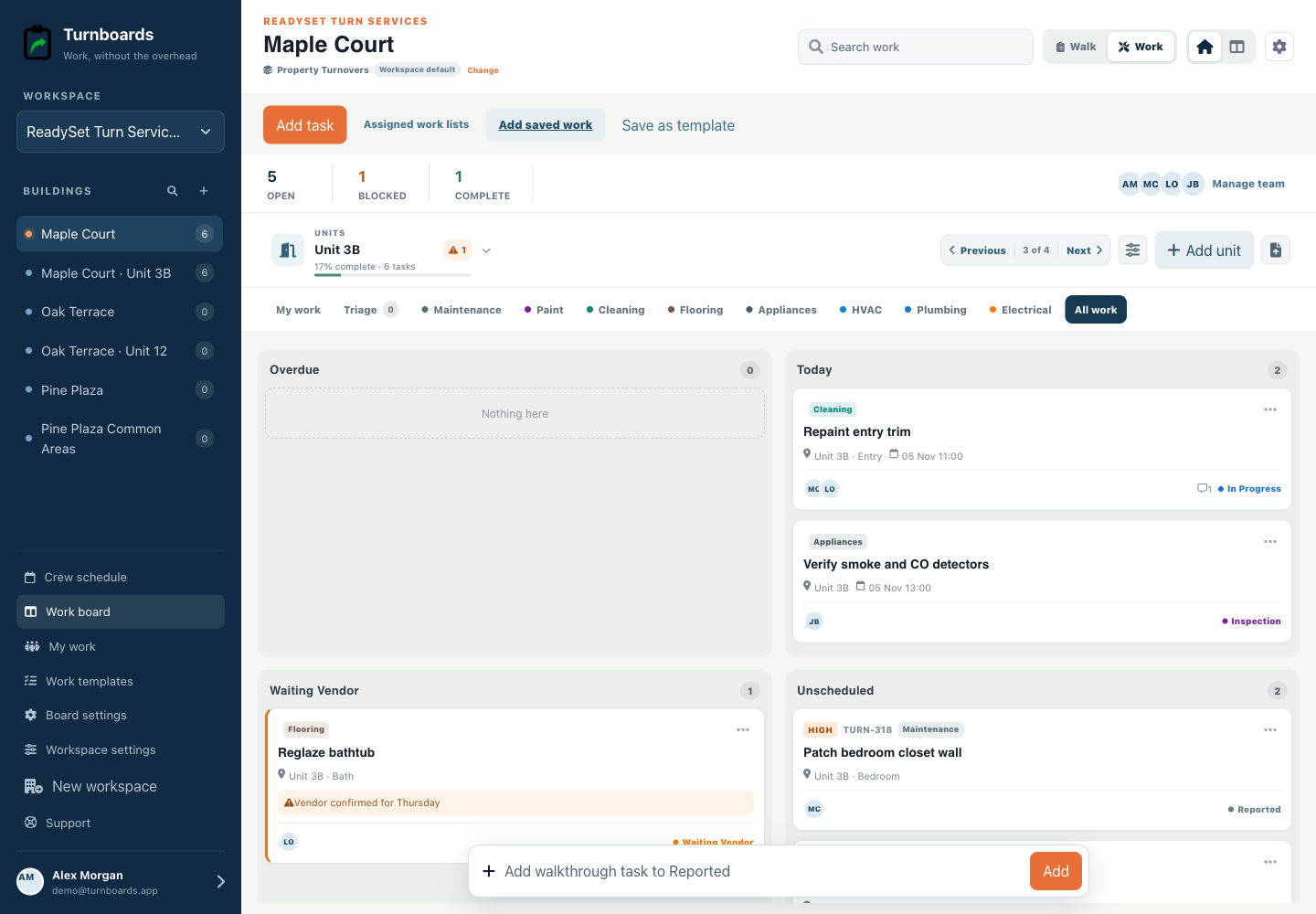
Work mode takes the items captured during unit walks and presents them for execution. Crew members start with My Work, switch to a trade queue when batching similar jobs, and retain the unit and handoff context on every item.


What you will get
- Default to incomplete tasks assigned to the current person
- Batch work through Paint, Cleaning, Flooring, Appliances, HVAC, Plumbing, and Electrical queues
- Claim or release work without changing permissions
- Move work through vendor holds, inspection, and completion
Example: take Unit 204 from findings to inspection
Follow a sample apartment's tasks, owners, blockers, and final handoff. Each row shows the stage of one task within Unit 204.
| Unit and task | Owner / trade | Stage | Next handoff |
|---|---|---|---|
| 204 · Patch living-room wall | Alex / Paint | Reported | Scope the patch and confirm it is ready for paint |
| 204 · Replace damaged appliance handle | Sam / Appliances | Waiting Vendor | Record the part reference and expected delivery in the task notes |
| 204 · Clean kitchen after repairs | Lee / Cleaning | In Progress | Leave the repair area available until the replacement is complete |
| 204 · Verify repairs and cleaning | Alex / Lead | Inspection | Resolve remaining work before marking the task Complete |
Capture findings during the walk, assign each next action, and use the blocker field when work cannot move. At the next check-in, filter to Unit 204 and review the remaining tasks before the final handoff.
Start each person with My Work
A technician sees assigned incomplete work across active units instead of opening every apartment to find the next task.
- Unit and area
- Trade and workflow stage
- Priority and due state
- Blocker and assignment
Batch the work when a trade moves building to building
Trade queues collect similar work while preserving unit context. The paint crew can scan Paint, the cleaner can scan Cleaning, and uncategorized captures remain in Triage until someone routes them.
Keep the handoff with the task
Assignments, notes, part references, locations, and blocker reasons travel with the item from Reported through Inspection. Managers can coordinate from the web while crews update from the field.
What Turnboards does—and does not do
Turnboards is not a work-order, dispatch-routing, timekeeping, purchasing, inventory, vendor-payment, or job-costing system. It keeps the next make-ready action and its handoff visible.
Frequently asked questions
Can a worker claim an unassigned item?
Yes. Self-claim and release use the same item assignments shown to the rest of the team.
Do trade categories control permissions?
No. Trades organize the work; organization membership controls access.
Can managers still filter by unit?
Yes. Work mode retains unit search, filtering, and previous or next unit navigation.
Put the next job on one clear board
Use Turnboards to organize your work. Create a board, add three real work items, and invite the person who needs the list next.