Your everyday to-do list
A little less to remember. A clear list for your day.
Errands, calls to make, things to finish at home. Get them out of your head and into a simple list you can come back to.
No credit card. Create your first board in minutes.
Prefer the mobile app?


Simple from the first task
Make room for what you need to do today.
1. Make it yours
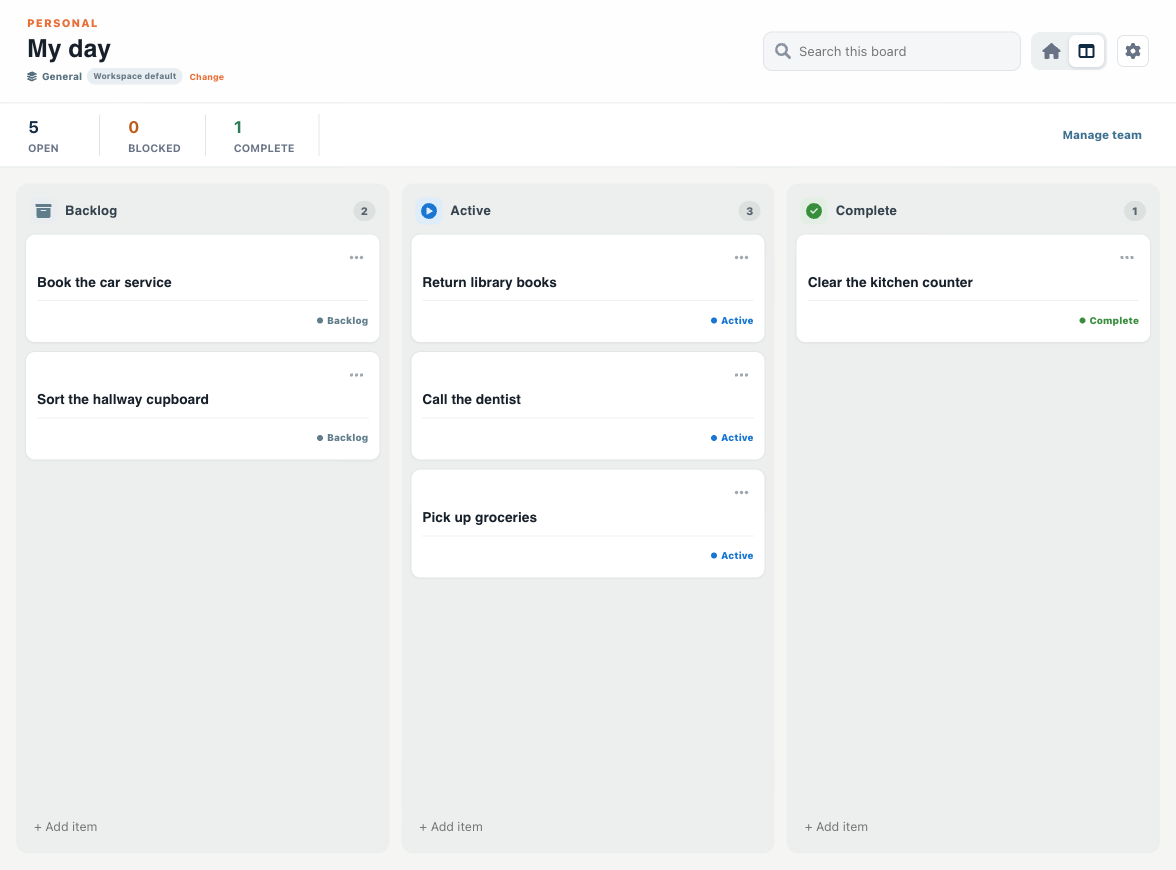
Create your account and name your workspace “Personal.” Choose General and call your first board “My day.” No team setup needed.
2. Put it on the list
Type “Return library books” or “Call the dentist.” Add a note or a due date when it helps. Keep errands and home tasks on separate boards if you prefer.
3. See what is done
Keep later tasks in Backlog, move your next steps to Active, and mark them Complete when you finish.
One place to pick up again
Your lists, at home and on the go.
Start in your browser. Use the same account in the optional mobile app when you are out, with offline support for the moments you lose service.
Keep useful details beside each task, so you can return to the list without reconstructing what you meant.
Small things. More headspace.
- Return library books — before the weekend
- Call the dentist — ask for a morning appointment
- Pick up groceries — add the shopping details in a note
- Clear the kitchen counter — one small job to finish
Start with a free account.
Turnboards is currently free to try. Create an account without a credit card, then start adding your own tasks.
Frequently asked questions
Can I use Turnboards on my own?
Yes. Your workspace can be just for you. Name it Personal when you sign up, choose General, and create your first board. You do not need to invite a team.
Is it free to start?
You can create an account and start using Turnboards without a credit card. Turnboards is currently free to try. Pricing may change as the product grows.
Can I use it on my phone?
Yes. Use the web app in your browser or sign in to the optional iPhone, iPad, or Android app. The mobile apps support offline work and sync supported changes when you reconnect.
Does it automatically repeat tasks or send reminders?
This page covers task lists you manage yourself. Do not rely on Turnboards for automatic recurring tasks or scheduled reminder alerts.
What are the next three things on your list?
Start with those. The rest can follow.