

Confirm approved design and job reference
Starts in the board's intake stage
Loadable shop-floor template
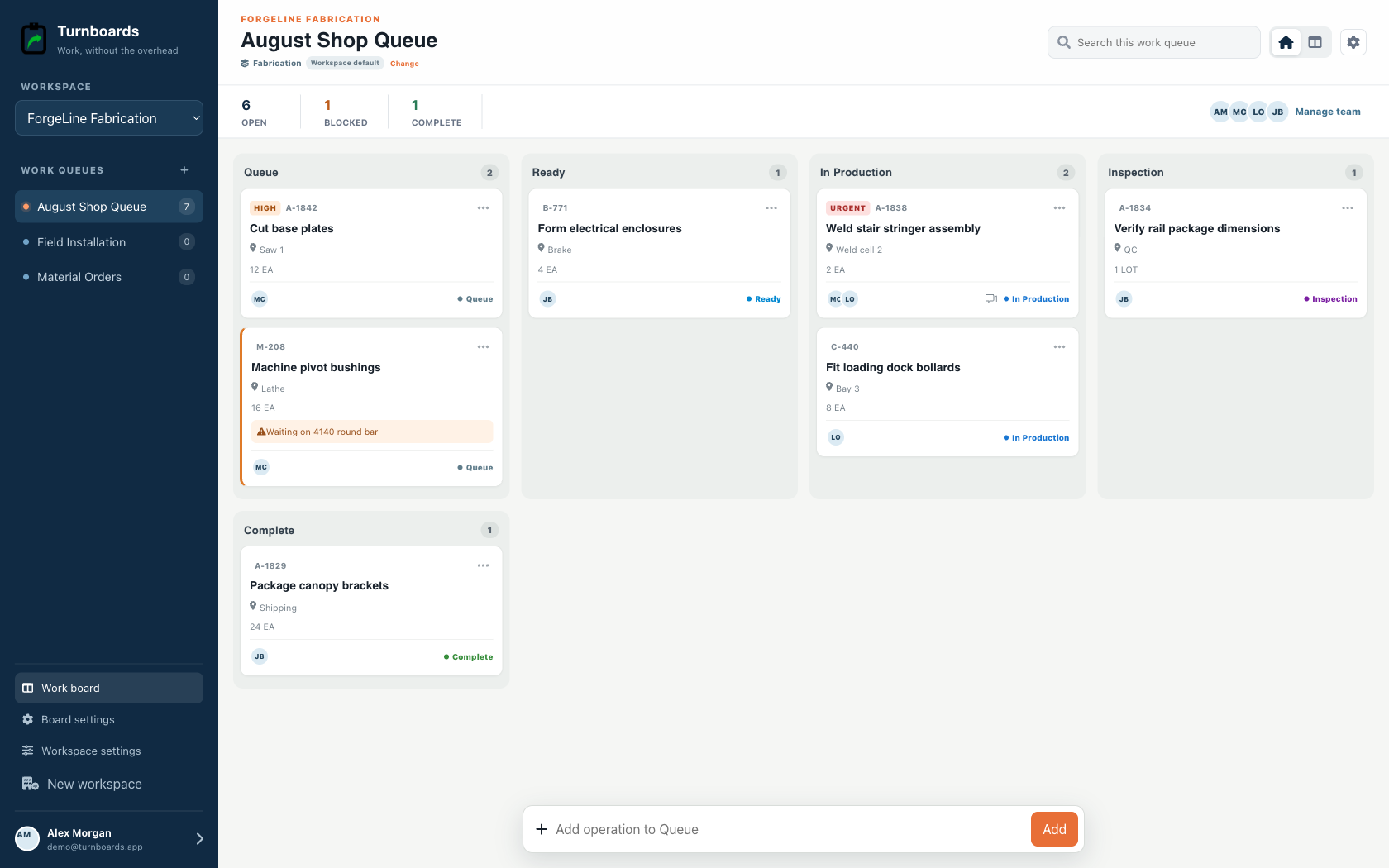
Create a reusable digital traveler for custom shop work without turning a simple production queue into an ERP implementation. Load the sequence, add the real job reference and quantity, and move each operation through production and inspection.
Included in the Turnboards web dashboard and mobile app. Load the whole template or choose individual items.
Exact template contents
Review every item before loading. Existing board settings stay in place, and every loaded entry becomes an ordinary item.
Starts in the board's intake stage
Starts in the board's intake stage
Starts in the board's intake stage
Starts in the board's intake stage
In progress
In progress
In progress
From template to live work
Templates add work to a board. They do not silently switch the board's industry, rename its stages, or move existing items.
Select only the tasks that apply. Turnboards identifies matching items already on the target board or group.
If the workflow differs, map template stages and categories to the board. Admins can create a missing category or use Uncategorized.
The selected tasks appear immediately as editable work with the same assignments, notes, offline sync, and quick creation used everywhere else.
Confirm the design or artwork, dimensions, quantity, materials, and reference before production begins. Attach practical notes to the item that needs them rather than separating context from the queue.
Move the work through the stages configured for the shop. The template provides the sequence while the board supplies the actual owner, work center, blockers, and current state.
Inspection is its own step because completed production is not automatically ready to ship. Confirm finish, dimensions, and quantity, resolve quality issues, then prepare pickup or delivery.
This template is a shared production work list. It does not provide estimating, purchasing, inventory, machine integration, revision control, quality records, traceability, shipping, or ERP functions.
This page describes a template loaded into Turnboards so the shop can update it together. A separate printable welding traveler is available in the resource library.
Yes. Turnboards items support reference, quantity, unit, assignment, notes, and blocker details.
Yes. You can map the template to current stages and categories before loading.
Start in the web dashboard
Create a free workspace, open Work templates, review the mapping, and load only the items your team needs.