A ready-made workflow instead of a blank workspace
A Free Notion Alternative for Teams That Just Need Tasks
Notion can become a wiki, document system, database, website, form builder, or custom project tracker. That flexibility is valuable when a team wants to design its workspace.
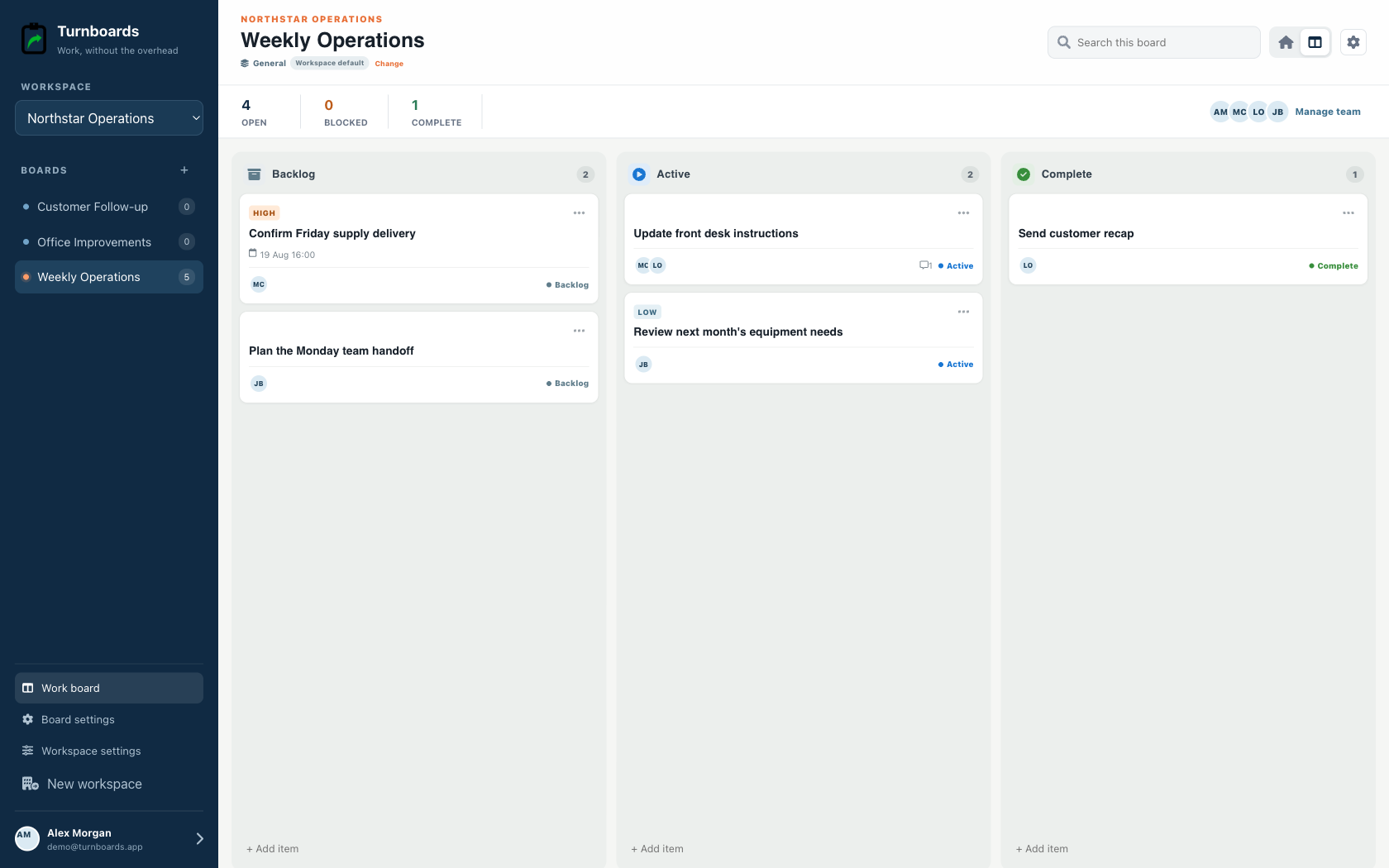
Turnboards starts with a focused workflow: choose an industry preset, add work quickly, assign it, and move it through clear stages.


Free-tier disclosure
Notion also has a free plan
Notion Free is $0 and is positioned for individuals. Pages and blocks are unlimited for individuals but limited for workspaces with two or more members.
Published pricing checked July 27, 2026. Verify current terms on the Notion official pricing page.
| Plan | Published price | Annual example or limit |
|---|---|---|
| Free | $0 | Unlimited pages and blocks for individuals; team limits apply |
| Plus | $10/member/month billed annually | $120 per member each year |
| Business | $20/member/month billed annually | $240 per member each year |
Annual examples multiply the published monthly price by 12. Taxes, promotions, billing terms, minimum seats, regional pricing, and product changes may affect the actual amount.
Turnboards is right for…
Choose less software when the work is straightforward
- The team wants a task system that is ready immediately.
- Mobile boards and assignments matter more than documents and databases.
- A focused preset with limited stage customization is preferable to a fully configurable workspace.
- People sometimes update work with a poor connection.
Choose Notion when…
Keep the capabilities your process depends on
- Your team needs documents, wikis, databases, forms, or websites.
- You want to design custom properties, relations, views, and templates.
- Tasks must live beside a broader knowledge base.
- Collaboration includes publishing, commenting, and long-form content.
Feature fit
Turnboards and Notion solve different-sized problems
This comparison focuses on workflow fit, not a claim that one product is universally better.
| Decision | Turnboards | Notion |
|---|---|---|
| Starting point | Purpose-built mobile task workflow | Flexible pages and databases |
| Setup | Boards, work items, and assignments | Templates or custom database design |
| Knowledge | Notes attached to work items | Documents, wikis, sites, and connected content |
| Workflow | Industry presets with editable stages | Custom properties, views, filters, and relations |
| Best fit | Small crews managing current work | Teams combining knowledge and project systems |
A low-risk migration
Try one active list before moving everything
- Choose one Notion task database whose main purpose is tracking current work.
- Create a Turnboards board and copy only task titles, owners, essential notes, and due dates.
- Map planned, in-progress, blocked, review, and finished records to the closest Turnboards workflow stages.
- Keep Notion for documentation, relational data, forms, publishing, or customized views.
Example Turnboards items
- Check roof leak in unit 2
- Order paint for hallway
- Call supplier about delivery
- Complete end-of-day cleanup
Turnboards is intentionally not a full project-management suite
Turnboards does not currently advertise advanced automation, reporting, integrations, portfolios, resource planning, compliance workflows, time tracking, Gantt planning, or enterprise administration. It is a focused shared work list for small teams.
Questions before switching
Frequently asked questions
Is Turnboards a free Notion alternative for tasks?
Turnboards is currently free to try and provides a ready-made shared task-board workflow for small teams.
Does Notion have a free plan?
Yes. Notion Free is $0 and is positioned for individuals. Its official comparison notes limits on pages and blocks for workspaces with two or more members.
What would I lose by moving tasks out of Notion?
Turnboards does not replace Notion documents, wikis, databases, relations, custom properties, forms, websites, or templates.
Why use Turnboards instead of a Notion task database?
Turnboards requires less setup and starts each board with a ready General or industry-specific workflow. Notion is stronger when database customization and knowledge management matter.
Can Turnboards import a Notion database?
Turnboards does not currently advertise a Notion importer. Move one simple task database manually and leave documentation or relational data in Notion.
Try one shared board with your team
Turnboards is currently free to try. Pricing may change as the product grows.
Trello, Asana, monday.com, Todoist, ClickUp, and Notion are trademarks of their respective owners. Turnboards is not affiliated with, endorsed by, or sponsored by these companies. Product and pricing information is provided for comparison and may change.