When all-in-one is more than the team needs
A Free, Simple ClickUp Alternative for Small Crews
ClickUp brings tasks, docs, chat, time tracking, dashboards, views, and automation into one workspace. Turnboards is for teams that do not want an all-in-one workspace.
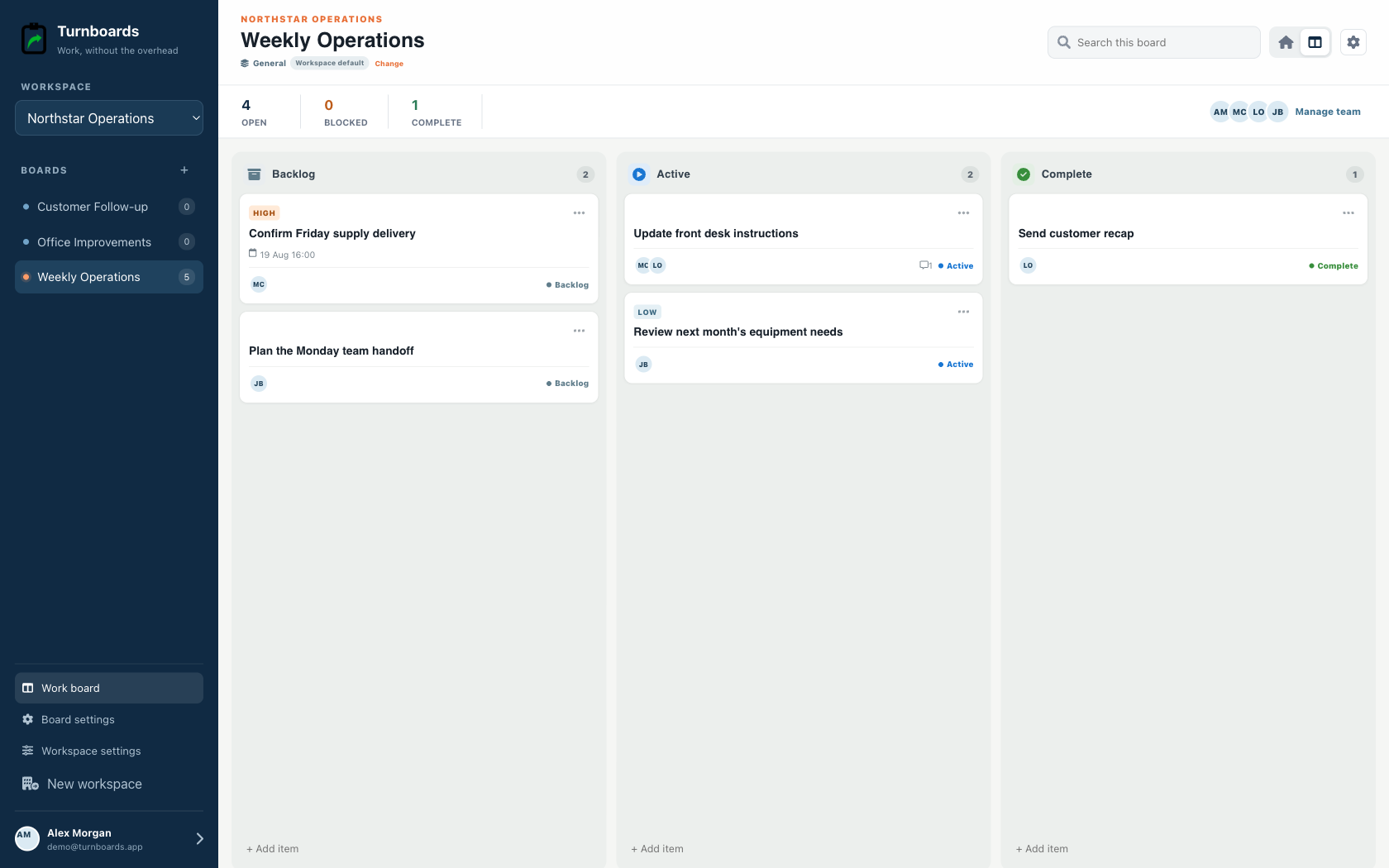
Its smaller scope helps a crew focus on the next work item, its owner, useful notes, a due date, and whether the job is waiting, active, or complete.


Free-tier disclosure
ClickUp also has a free plan
ClickUp Free Forever supports unlimited members, with limits including 60MB of storage and restricted use of some advanced features.
Published pricing checked July 27, 2026. Verify current terms on the ClickUp official pricing page.
| Plan | Published price | Annual example or limit |
|---|---|---|
| Free Forever | $0 | Unlimited members with storage and feature limits |
| Unlimited | $7/user/month billed annually | $84 per user each year |
| Business | $12/user/month billed annually | $144 per user each year |
Annual examples multiply the published monthly price by 12. Taxes, promotions, billing terms, minimum seats, regional pricing, and product changes may affect the actual amount.
Turnboards is right for…
Choose less software when the work is straightforward
- You want fewer features and less workspace configuration.
- The team needs a shared mobile work list rather than an all-in-one suite.
- Assignments, notes, due dates, and a focused workflow cover the job.
- Offline-capable task updates matter more than dashboards.
Choose ClickUp when…
Keep the capabilities your process depends on
- Docs, chat, whiteboards, or time tracking belong beside tasks.
- You need Gantt charts, custom views, dashboards, goals, or sprints.
- Automations and integrations are essential to the process.
- Managers need workload, estimates, reporting, or granular permissions.
Feature fit
Turnboards and ClickUp solve different-sized problems
This comparison focuses on workflow fit, not a claim that one product is universally better.
| Decision | Turnboards | ClickUp |
|---|---|---|
| Product scope | Focused task boards | All-in-one productivity workspace |
| Views | Industry home plus workflow view | List, board, calendar, Gantt, workload, and more |
| Collaboration | Assignments and task notes | Tasks, docs, chat, comments, whiteboards, and proofing |
| Planning | Due dates and current status | Time estimates, goals, sprints, dependencies, and reporting |
| Best fit | Small crews that need less software | Teams consolidating many work tools |
A low-risk migration
Try one active list before moving everything
- Identify a ClickUp List used only for current operational tasks.
- Create one Turnboards board and move active task titles, owners, notes, and due dates.
- Translate ClickUp statuses into the closest stages in a General or industry-specific Turnboards workflow.
- Keep ClickUp for Lists that depend on custom fields, docs, dependencies, time tracking, automations, or dashboards.
Example Turnboards items
- Inspect generator
- Order replacement filter
- Finish customer punch list
- Unload tomorrow's materials
Turnboards is intentionally not a full project-management suite
Turnboards does not currently advertise advanced automation, reporting, integrations, portfolios, resource planning, compliance workflows, time tracking, Gantt planning, or enterprise administration. It is a focused shared work list for small teams.
Questions before switching
Frequently asked questions
Is Turnboards a free ClickUp alternative?
Turnboards is currently free to try and offers a deliberately smaller shared task-board workflow.
Does ClickUp have a free plan?
Yes. ClickUp Free Forever supports unlimited members, with limits such as 60MB of storage and restricted use of some advanced capabilities.
Is Turnboards an all-in-one replacement for ClickUp?
No. Turnboards does not replace ClickUp docs, chat, time tracking, dashboards, Gantt charts, custom views, or automation.
Why would a team choose fewer features?
For a hands-on crew, a smaller workflow can reduce setup and make the current work easier to find. Teams needing ClickUp's broader features should keep using them.
Can Turnboards import ClickUp tasks?
Turnboards does not currently advertise a ClickUp importer. A manual move is appropriate for simple Lists that map cleanly to a Turnboards workflow.
Try one shared board with your team
Turnboards is currently free to try. Pricing may change as the product grows.
Trello, Asana, monday.com, Todoist, ClickUp, and Notion are trademarks of their respective owners. Turnboards is not affiliated with, endorsed by, or sponsored by these companies. Product and pricing information is provided for comparison and may change.