Fit-based software guide
Best Job-Tracking Apps for Small Welding Shops
There is no single best welding shop app. The right choice depends on whether the immediate problem is a shared work list, quoting, drawings, production control, or running the entire service business.


What you will get
- Turnboards: simple shared work lists
- Bead Board: welding job tracking and quoting
- FabTrk: fabrication plans, drawings, and production status
- Jobber: scheduling, customers, quotes, and invoices for field-service businesses
| Option | Choose it when | Do not choose it when |
|---|---|---|
| Turnboards | The crew needs a fast shared list, assignments, notes, and offline updates | You need quoting, inventory, drawings, timecards, or formal reports |
| Bead Board | A small welding shop needs job tracking plus estimating and quoting | You only want a bare task list |
| FabTrk | Plans, drawing references, issue reporting, and production status are central | Your current process is still a simple whiteboard |
| Jobber | Scheduling, customer management, quoting, and invoicing should live together | You only need to coordinate shop tasks |
| Spreadsheet or whiteboard | The crew is co-located and the process rarely changes | Updates must travel between the office, shop, and field |
Start with the missing answer
List the question your current system fails to answer. If it is 'what should each person do next?', begin with a shared task list. If it is 'did we quote this profitably?' or 'which drawing revision is approved?', choose software built for that record.
Avoid buying the future too early
A full platform can be the right investment, but unused features still create setup and training work. Choose the smallest system that fixes today's handoff, then move up when quoting, scheduling, inventory, or compliance becomes the real constraint.
Where Turnboards fits
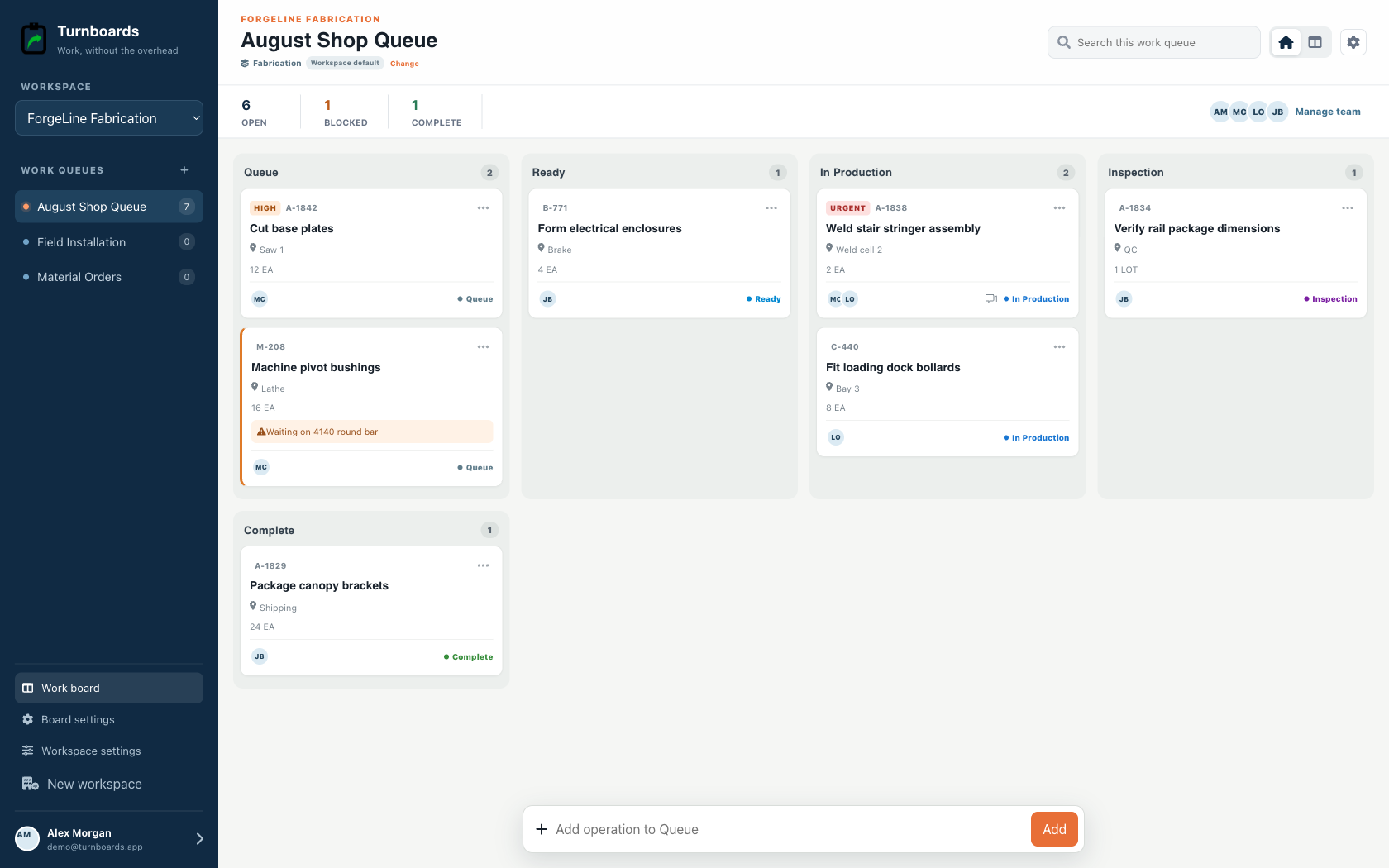
Turnboards is the lightweight option in this list. It is designed for a small team leaving texts, paper, or a whiteboard—not for a shop replacing an ERP or formal quality system.
What Turnboards does—and does not do
Turnboards is a fast shared work list with boards, assignments, notes, due dates, and offline updates. It does not provide invoicing, employee scheduling, GPS tracking, or formal inspection records.
Put the next job on one clear board
Try Turnboards free. Create a board, add three real work items, and invite the person who needs the list next.