Practical comparison
Whiteboard vs Spreadsheet vs Task App for a Small Fabrication Shop
The best system is the simplest one the crew will update. A whiteboard, spreadsheet, and shared task app each solve a different stage of the problem. Choose based on where work happens and how often priorities change.


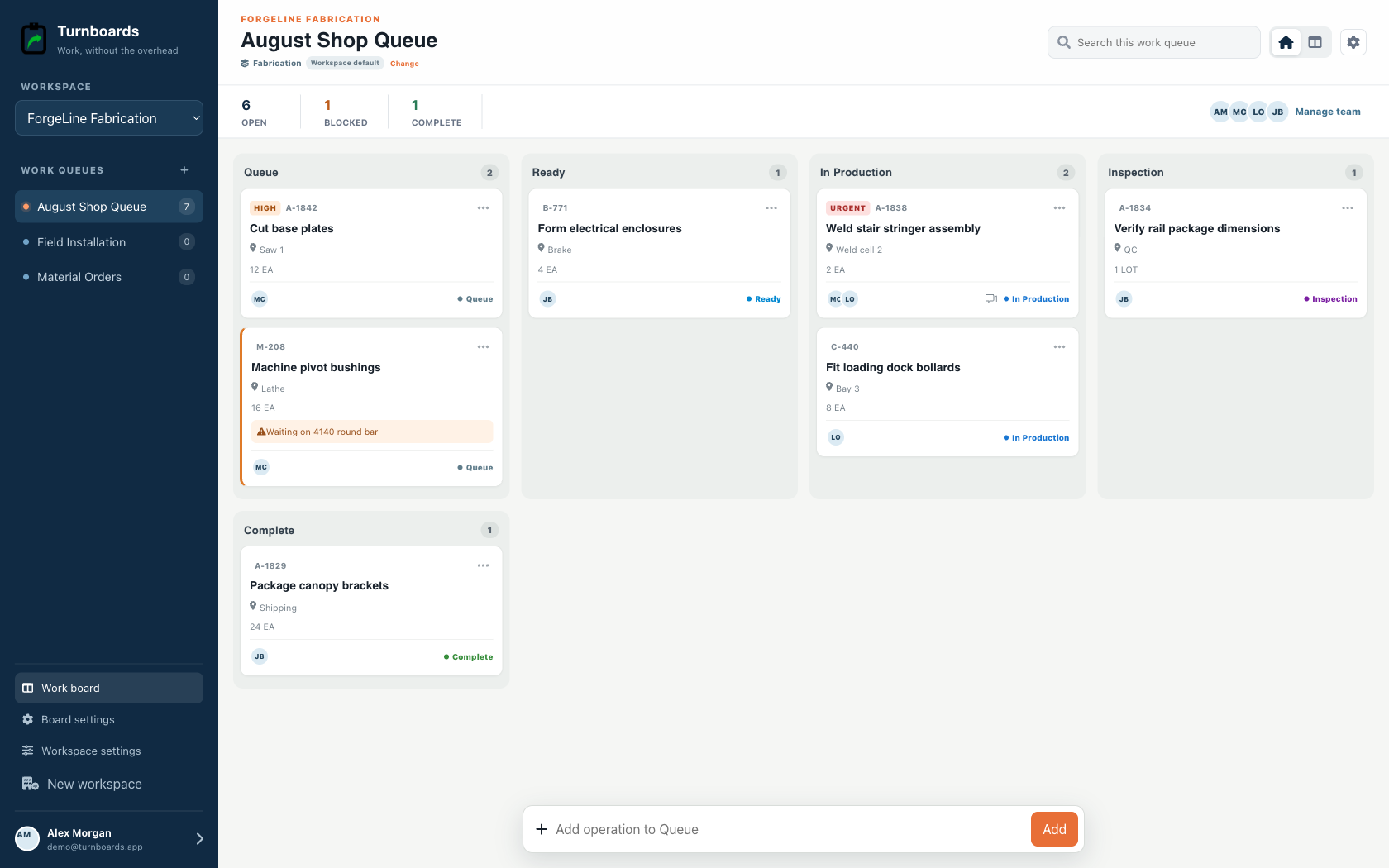
What you will get
- Use a whiteboard when everyone works in one room
- Use a spreadsheet when reporting and structured fields matter most
- Use a shared task app when the list must travel between shop and field
| Method | Best fit | Strength | Tradeoff |
|---|---|---|---|
| Whiteboard | One-location crews | Instant and visible | Unavailable off-site; history is easily erased |
| Spreadsheet | Office-led tracking | Flexible fields and reporting | Awkward for quick phone updates |
| Shared task app | Shop and field crews | Portable assignments and status | Requires each person to use the app |
| Full shop platform | Growing operations | Quoting, drawings, inventory, and production data | More setup, training, and cost |
Stay with a whiteboard when proximity is the advantage
If the same three people work in the same bay every day, a whiteboard may be enough. Improve it before replacing it: separate waiting, active, and done work; name an owner; and photograph it at the end of the day when history matters.
Choose a spreadsheet when the office owns the process
Spreadsheets work well when jobs need consistent columns, sorting, costing, or management reporting. They work less well when gloved workers need to make a five-second update from the floor or a job site.
Choose a task app when work moves
A shared task app fits the gap between a wall board and a full fabrication platform. Turnboards focuses on the list, assignee, status, due date, and notes. It does not replace quoting, drawing control, inventory, or timekeeping.
What Turnboards does—and does not do
Turnboards is a fast shared work list with boards, assignments, notes, due dates, and offline updates. It does not provide invoicing, employee scheduling, GPS tracking, or formal inspection records.
Put the next job on one clear board
Try Turnboards free. Create a board, add three real work items, and invite the person who needs the list next.